
 Canva
CanvaSlidesGPT vs Canva
A broad design platform versus a tool built specifically to output editable presentation files.

Benjamin Spinola, Co-Founder · SlidesGPT
Published July 3, 2026 · Updated August 13, 2026 · 7 min read
A hands-on comparison of SlidesGPT and Canva, based on our own test deck run through both tools in August 2026 alongside each tool's public documentation.
Canva is a large design platform, and AI presentations are one feature within it. Its Magic Design can generate a deck from a prompt inside the Canva editor, alongside everything else Canva does. SlidesGPT is focused: it generates a presentation and hands you an editable PowerPoint, Google Slides, or Keynote file.
Both are free to start. The practical difference is what happens when you export a finished deck to PowerPoint, and how much the tool is built around that file versus around its own canvas.
SlidesGPT vs Canva at a glance
| Feature | SlidesGPT | Canva |
|---|---|---|
| Editable PowerPoint export | Native, editable .pptx built as the core output (also Google Slides and Keynote) | Free .pptx download with editable text, but charts export as flat pictures whose figures cannot be changed |
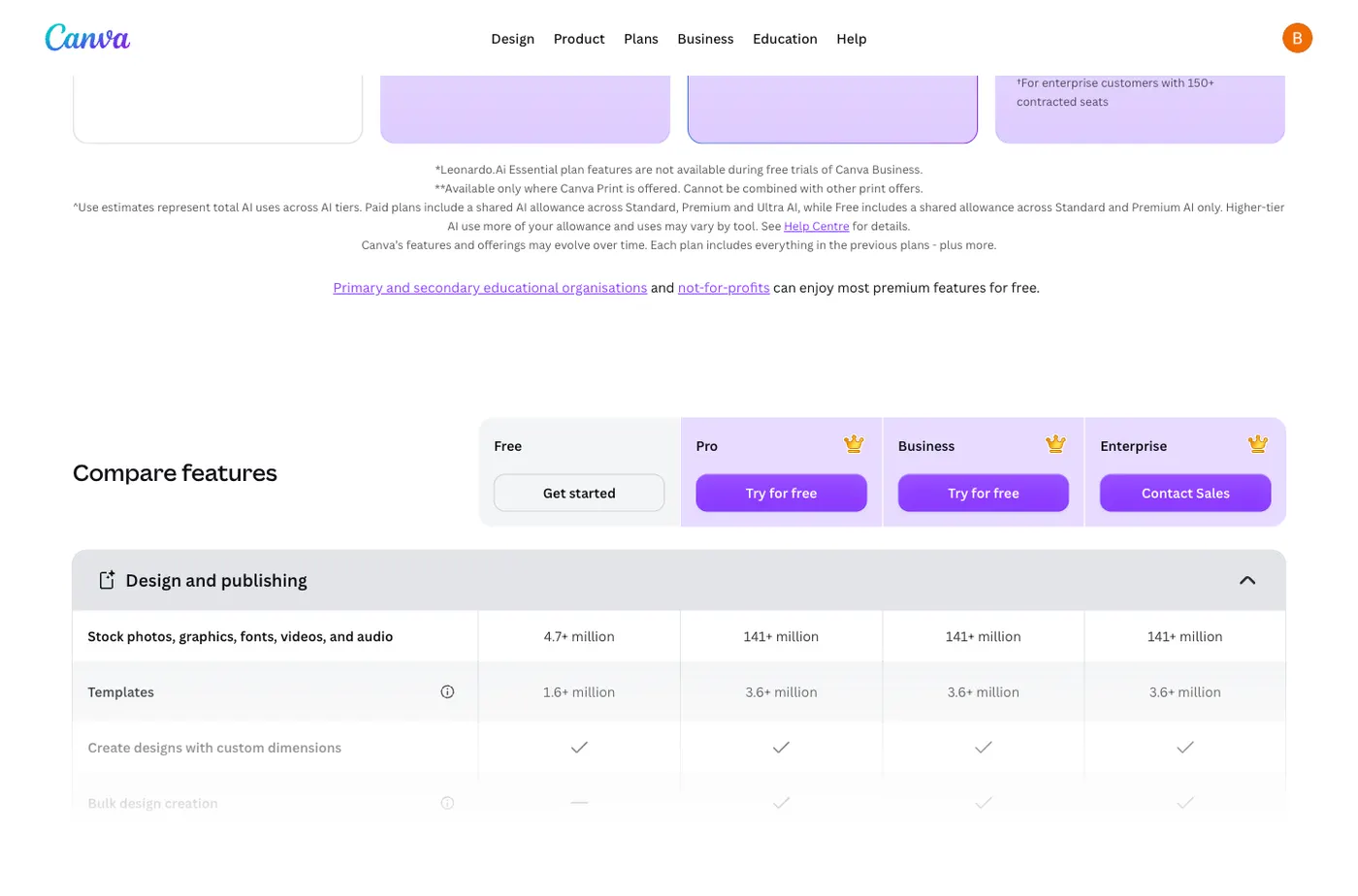
| Free to start | Yes. Generate and preview a full deck for free | Yes. Our free account exported a PowerPoint with no charge or upgrade prompt; the library is 4.7 million assets free against 141 million on Pro |
| Input sources | Text prompt, PDF, and YouTube | Text prompt inside the Canva editor |
| Scope | Focused on generating editable presentation files | A broad design suite covering many formats |
| Best for | People whose deliverable is an editable slide file | People who design and present inside Canva |
What SlidesGPT and Canva cost
Prices as we saw them in August 2026. The row that matters is the last one: the cheapest plan that hands you a PowerPoint whose text you can actually edit.
What the free tier gives you
- SlidesGPT
- Generate and preview full decks, no export
- Canva
- Generates and exports an editable .pptx with no charge
Cheapest plan with an editable PowerPoint
- SlidesGPT
- Pro at $7.49 a month billed annually ($89.99 a year)
- Canva
- Free
What you actually get in that file
- SlidesGPT
- Editable PowerPoint, Google Slides and Keynote, 10 downloads a month
- Canva
- Text is editable; charts export as flat pictures
Metered by credits?
- SlidesGPT
- No credits. Pro is capped in decks, not tokens: 10 downloads a month
- Canva
- Yes, a pooled monthly AI quota that resets. Free is capped at up to 200 Standard or 20 Premium AI calls; a paid AI Pass add-on sells 40 times the allowance of a Canva Pro seat, which is €110 a year
What one deck actually costs
- SlidesGPT
- $0.75 a deck, if you use all ten ($7.49 ÷ 10)
- Canva
- Free, but about five decks a month: our single deck consumed 20% of the free monthly allowance, and Canva does not publish the paid allowance
Currency we were shown
- SlidesGPT
- USD
- Canva
- EUR only from Europe (€0, €110, €170 a year)
Checked August 2026 from each vendor's own pages and, where we had an account, from inside the product. Credit allowances come from each vendor's published pricing; where we could measure consumption ourselves we say so. Several vendors set prices by region, so what you see may differ from what we saw.
Compare all nine on priceWe built the same deck in Canva
We ran the same brief through Canva AI on a free account in August 2026, the identical brief we gave ChatGPT, Gamma, Beautiful.ai and Presentations.ai. Canva does something none of the others managed: it hands you a free, genuinely editable PowerPoint file. It also invented a number.
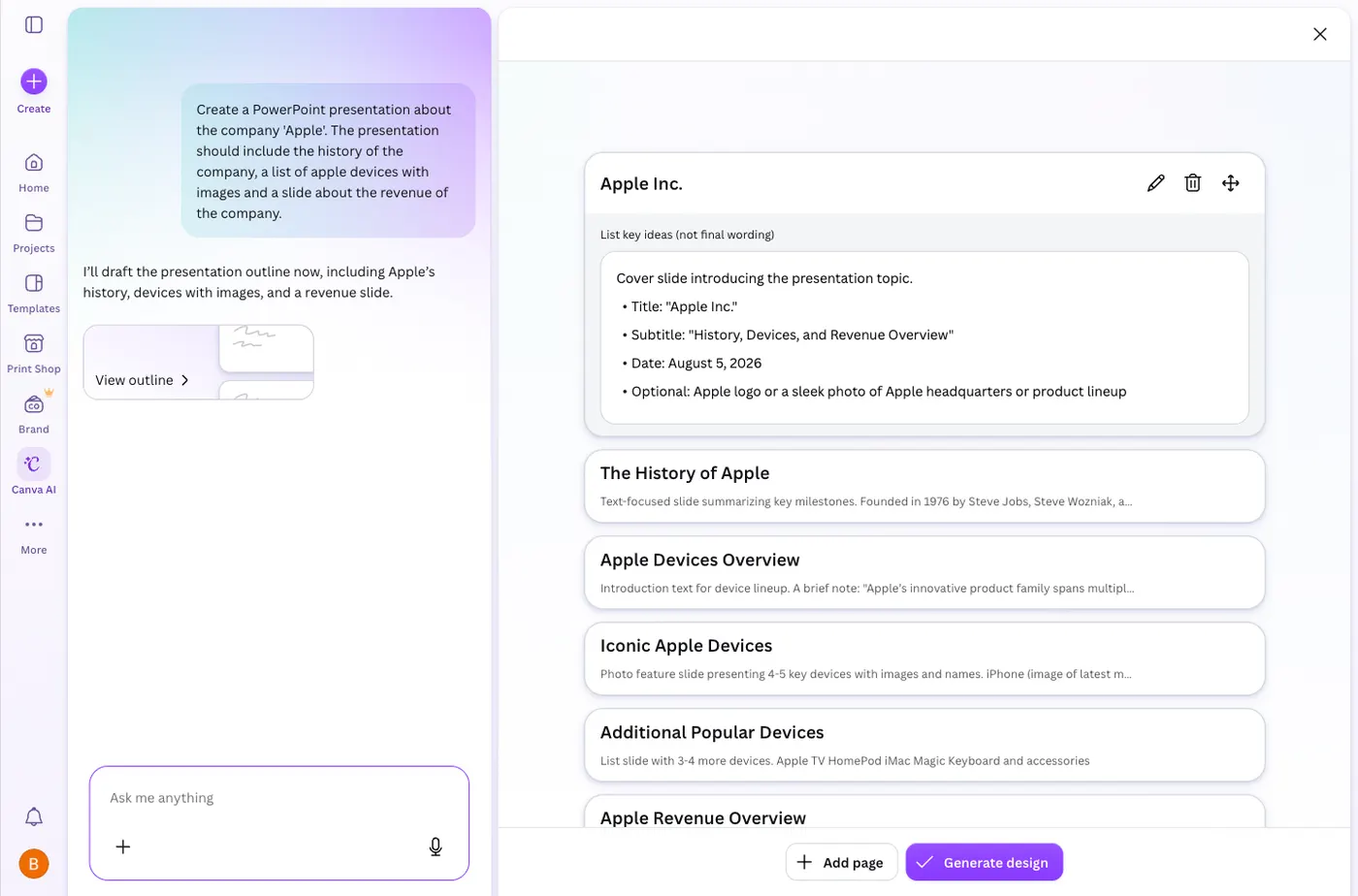
Create a PowerPoint presentation about the company 'Apple'. The presentation should include the history of the company, a list of apple devices with images and a slide about the revenue of the company.
One sentence, with no audience or tone specified. It is not the way to get the best out of any of these tools; it is what a first-time user typing a single line actually gets.
It writes an outline before it designs anything
Canva AI is a chat box rather than a form. It took the whole brief, replied that it would draft an outline covering Apple's history, devices with images and a revenue slide, and produced that outline first. Only after you press Generate design does it build slides. You get a checkpoint before any design work happens, which is the same pattern Gamma and Decktopus use.
The deck looks the part
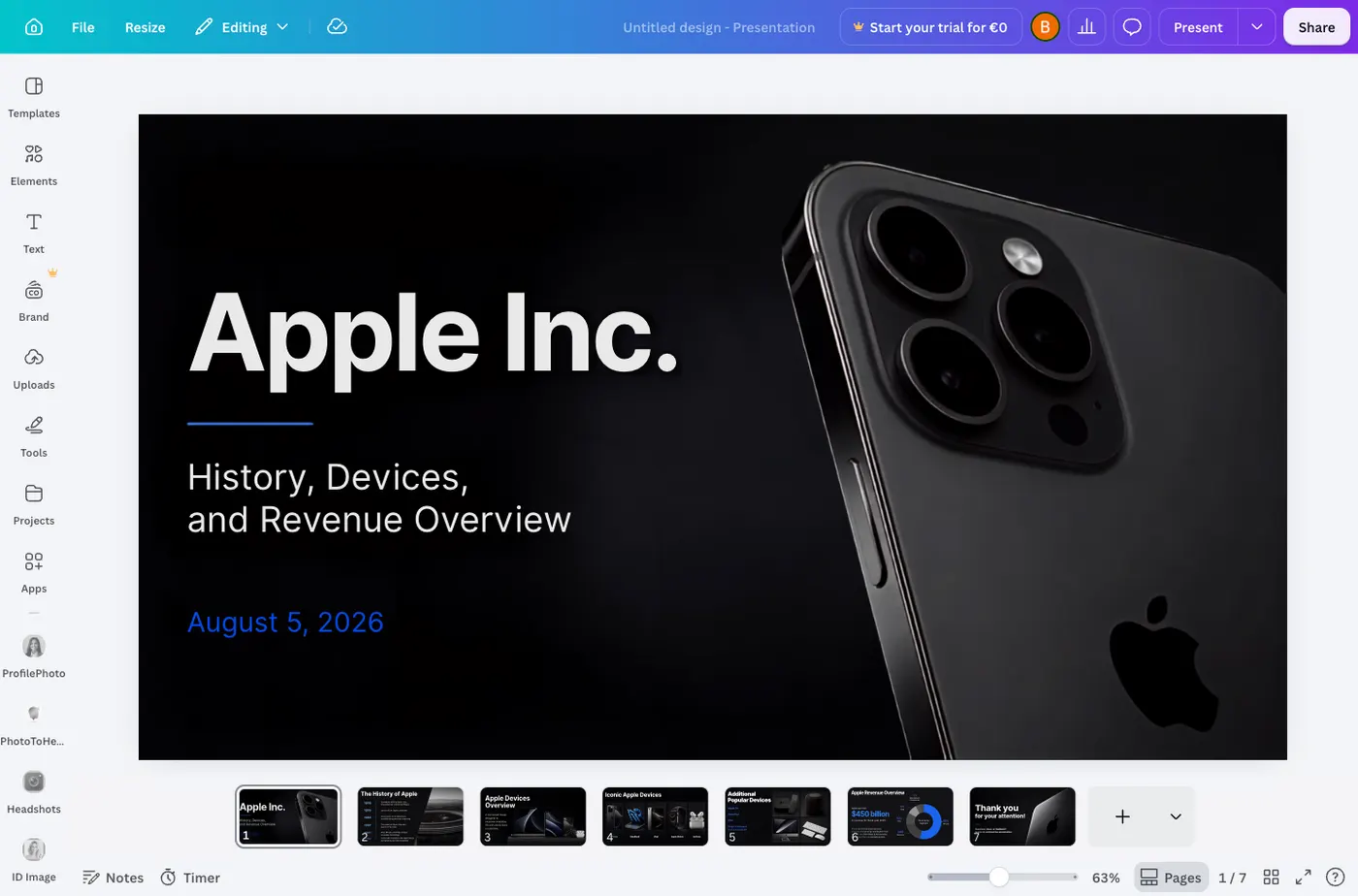
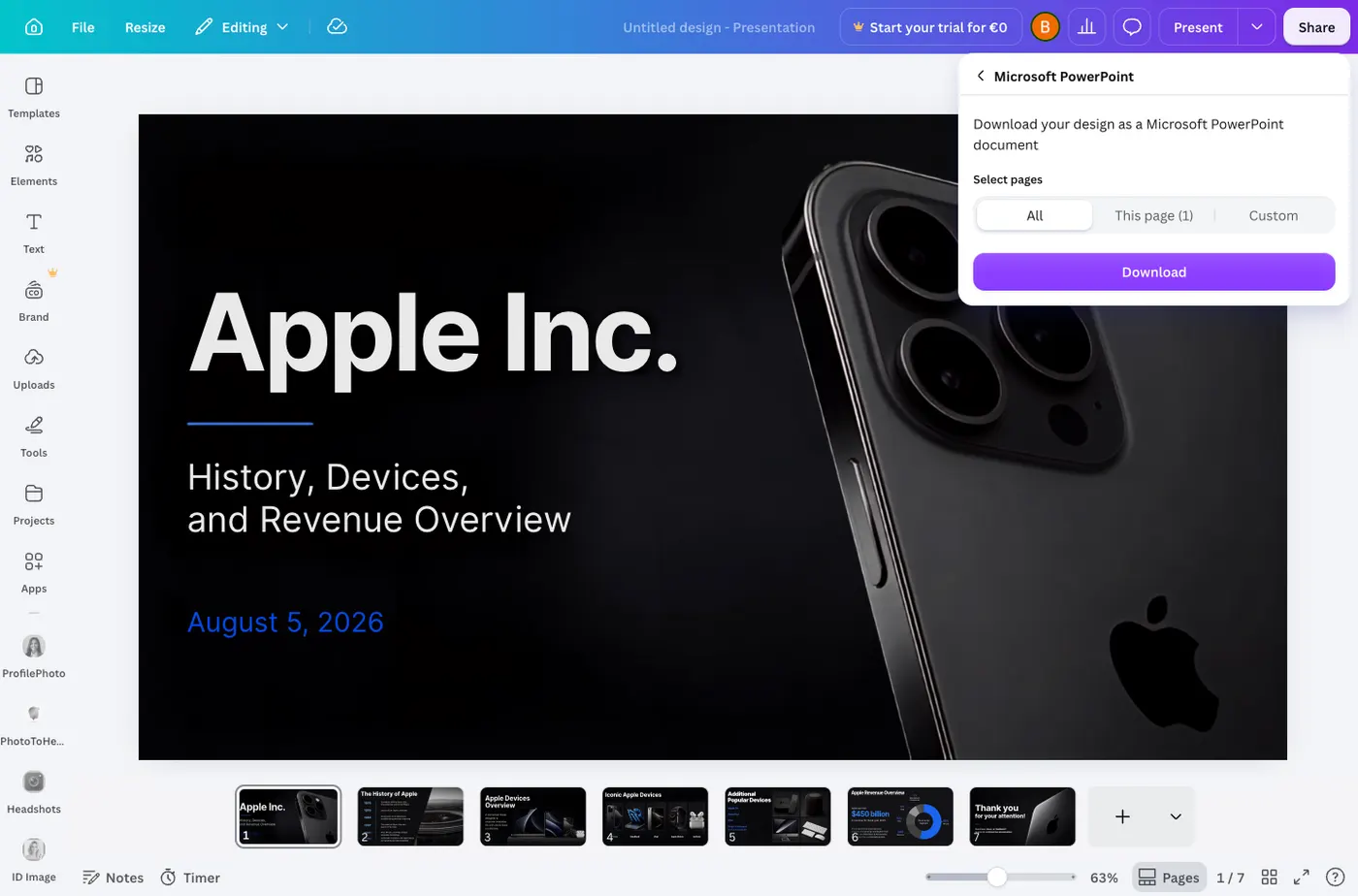
Seven slides came back, and the cover is the best-looking of anything we generated: a black iPhone photograph, the Apple logo, and the title set in a heavy sans-serif. The remaining slides carry a consistent dark theme, a timeline for the history, and device sections with real product photography rather than clip art.
PowerPoint export is free, with no wall
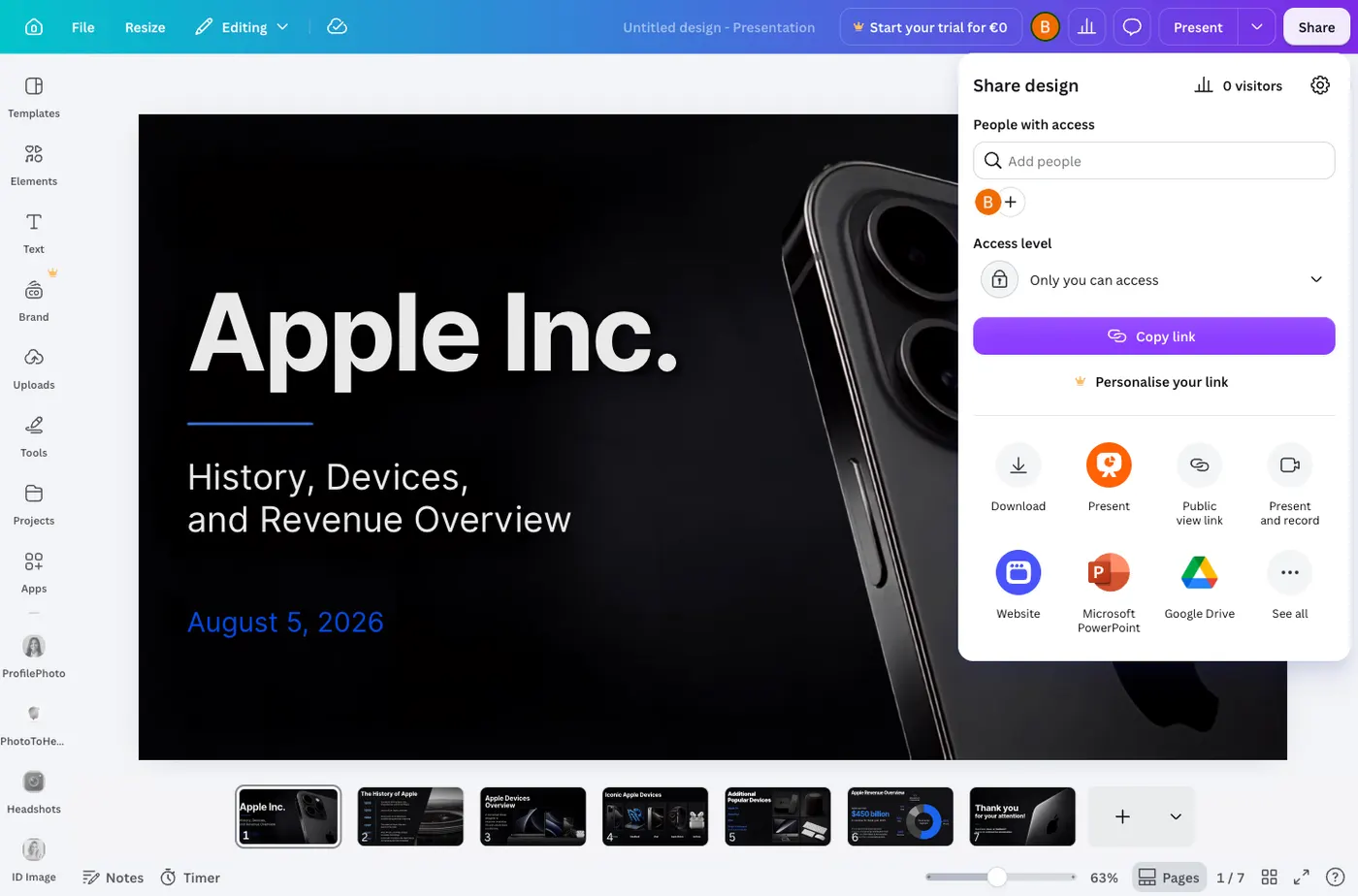
Share, then Microsoft PowerPoint, then Download. No upgrade prompt, no trial, no credit card. This is the clearest difference between Canva and the three tools we tested before it: Gamma, Beautiful.ai and Presentations.ai all put something between you and the file. Canva simply gives it to you.
The text is editable. The chart is not a chart
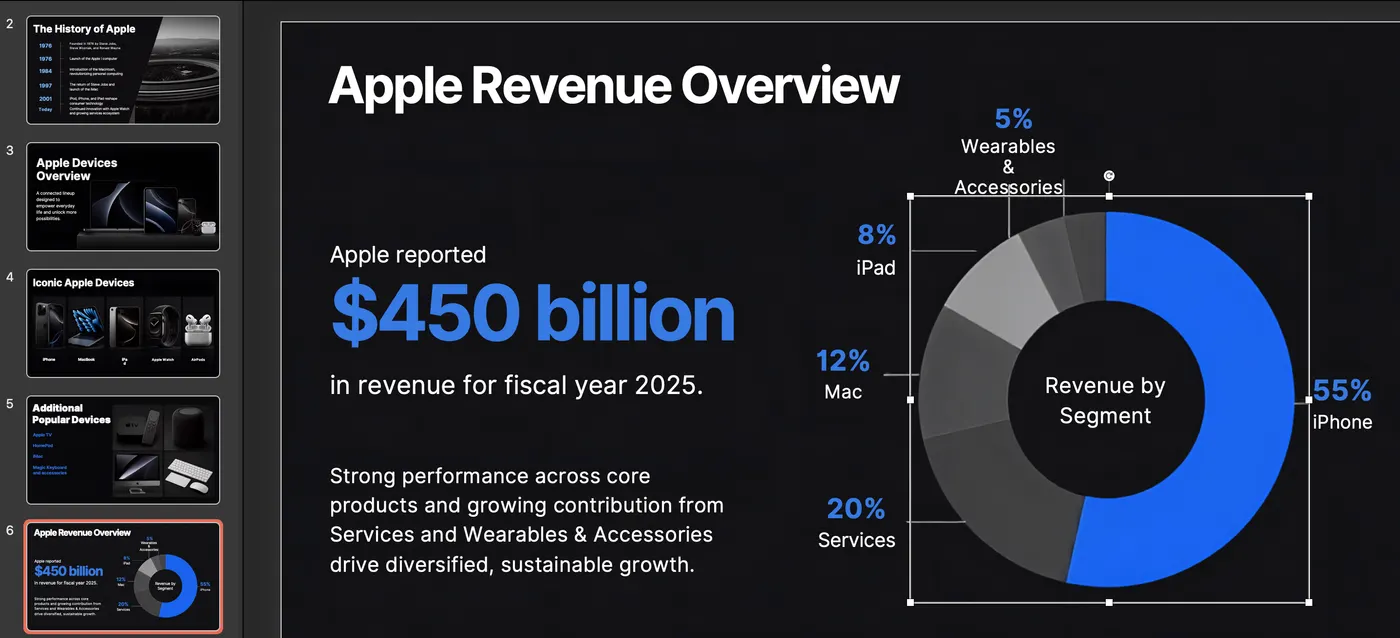
A PowerPoint file can look right and still be seven pictures in a trench coat, so we unpacked the download and read the slide markup. The text is real: fifty separate runs of editable text across the seven slides, in proper text boxes. Then we opened the file in PowerPoint and clicked the doughnut chart. It selects as one picture. There is no chart in this file, anywhere: no chart object, no embedded worksheet, nothing holding the numbers. The percentages you can see are painted into an image. So the segment splits cannot be corrected. Changing 20 percent to 28 percent means deleting the picture and building a chart from scratch. This is the same thing we found in Beautiful.ai, whose export is labelled editable and whose charts arrive as pictures too.
Then we read the revenue slide
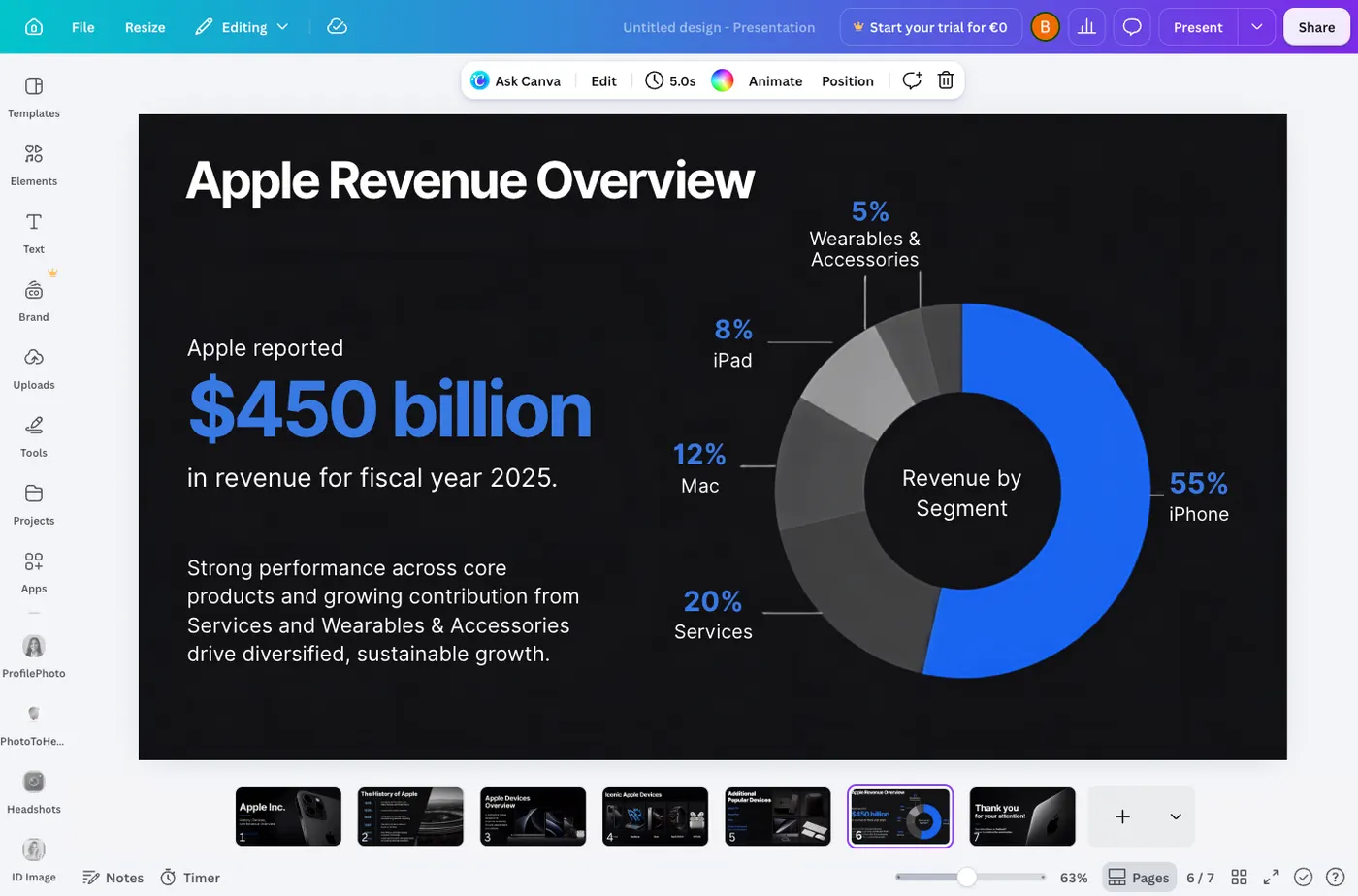
The slide the brief specifically asked for says, in large type: "Apple reported $450 billion in revenue for fiscal year 2025." Apple's actual revenue for fiscal 2025 was $416.16 billion. Canva overstated it by roughly thirty-four billion dollars and presented the figure as something Apple reported. The doughnut chart beside it is off too, putting Services at 20 percent of revenue when the real share is closer to 28 percent.
We checked the library claim, because everyone repeats it
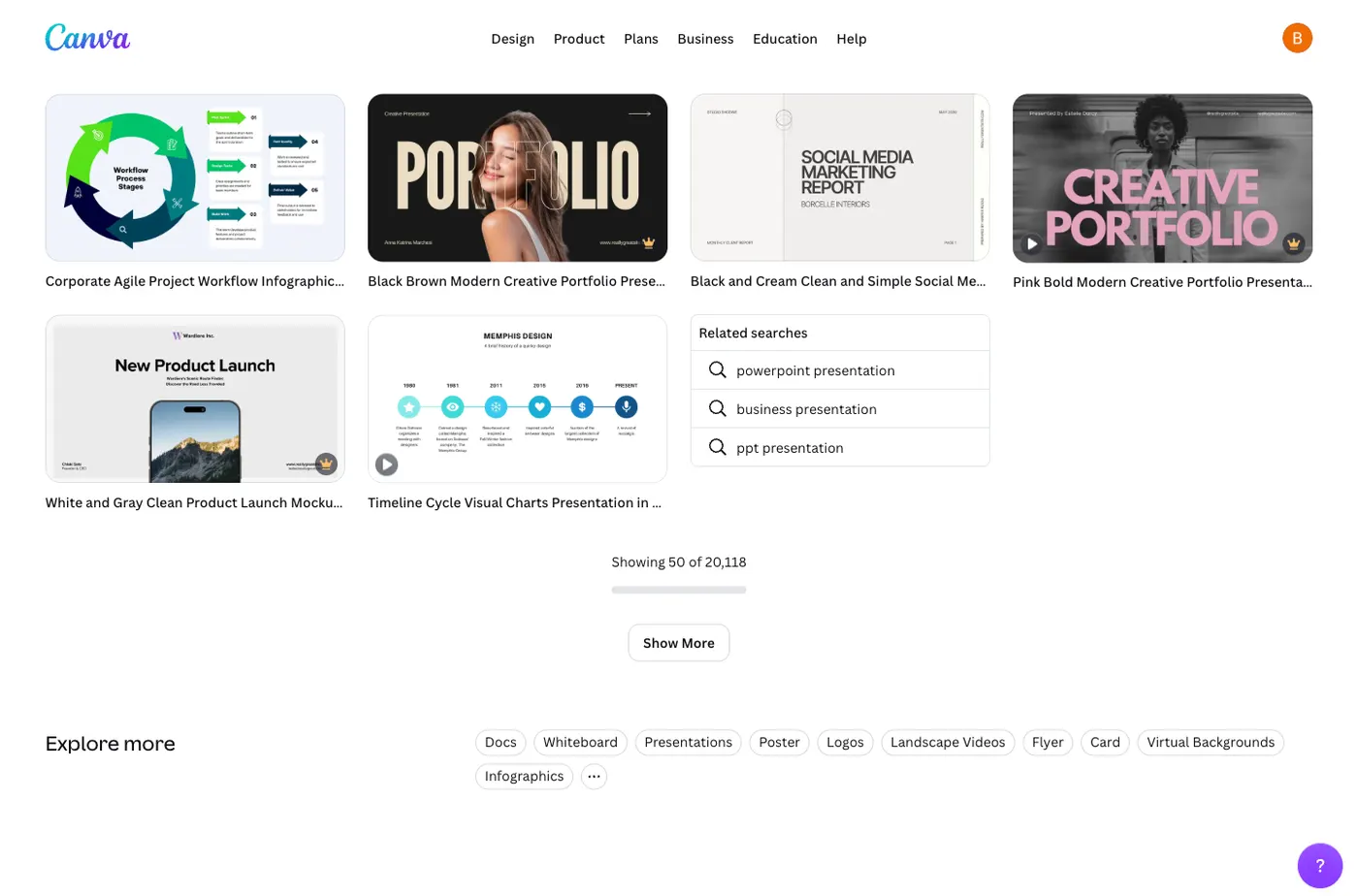
"Canva has a huge library" is the line every comparison article uses, ours included, and none of them show a number. Canva's own template search reports 20,118 presentation templates, and its plan comparison puts the asset library at 4.7 million stock photos, graphics, fonts, videos and audio on the free plan against 141 million on Pro. Templates across all design types are 1.6 million free and 3.6 million paid. Two things to know before those numbers impress you. The 141 million figure quoted everywhere is the paid one; a free account gets about three percent of it. And the counts appear to be inflated by permutation. We sampled 445 presentation templates and stripped the colour and style words from their names. What was left collapsed to 297 distinct ideas, so more than a third shared a concept with another entry. "Creative Portfolio Presentation" alone appeared forty times, differing only by colourway and adjective: beige minimal, beige and brown modern, black and gray minimalist, red and beige simple. We compared names, not layouts, so we cannot say those forty are the same design recoloured. But naming built from colour plus style plus use case is what a catalogue assembled by permutation looks like, and a headline of 20,118 should be read with that in mind. The library is still far beyond anything a dedicated generator offers. It is just not 20,118 distinct ideas.
What that means in practice
Canva gives you a free PowerPoint whose text you can edit, which is more than Gamma, Beautiful.ai, Presentations.ai or Decktopus manage. Two things travel with it. The revenue figure is invented, and written in confident large type on the slide that looks most researched, which is exactly the kind of thing that survives into a meeting. And the chart carrying that figure is a picture, so the one part of the deck you would most want to correct is the part you cannot. Treat any statistic Canva generates as unverified, and expect to rebuild any chart you intend to keep. SlidesGPT charges for export, so Canva wins on price outright; the trade is that SlidesGPT is built around producing the file rather than around its own canvas.
What Canva does well
Canva's reach is its advantage. Its own figures put the library at 4.7 million stock assets on the free plan, rising to 141 million on Pro, alongside a mature and familiar editor and a free tier that includes PowerPoint export. The template counts are partly inflated by colourway variants, but the underlying scale is still far beyond any dedicated generator. Because it covers social graphics, documents, and video as well as slides, it is a strong single home for general design work. For teams that want to design and present in one place, Canva is hard to beat on breadth.
- 4.7 million stock assets free, 141 million on Pro (Canva's own figures)
- Mature, widely known drag-and-drop editor
- One platform for many design formats beyond slides
Where SlidesGPT is different
SlidesGPT is built around the presentation file rather than a design canvas. Canva's export carries text through cleanly, but we opened the file and found the chart is a picture: there is no chart object anywhere in it, so a figure cannot be corrected without rebuilding the slide. Its AI also invented the revenue number on that chart. SlidesGPT generates native slide objects so the exported file stays faithful and editable. SlidesGPT also accepts a PDF or a YouTube link as the source and targets Google Slides and Keynote as well.
Which should you choose?
Choose Canva if you want a broad design tool with an asset library no dedicated generator can match, and will mostly present inside Canva rather than in PowerPoint. Choose SlidesGPT if your primary deliverable is a clean, editable PowerPoint or Google Slides file, or if you want to generate from a document or a video.
FAQ
Generate your first deck
Turn a topic, a document, or a YouTube link into a structured presentation, then preview the full deck before you decide. Free to start.
Create a presentation