
 SlidesAI
SlidesGPT vs SlidesAI
A Google Slides add-on versus a tool that treats native PowerPoint as a first-class output.

Benjamin Spinola, Co-Founder · SlidesGPT
Published July 3, 2026 · Updated August 13, 2026 · 7 min read
A hands-on comparison of SlidesGPT and SlidesAI, based on our own test deck run through both tools in August 2026 alongside each tool's public documentation.
SlidesAI works primarily as a Google Slides add-on: it turns pasted text or a topic into a basic deck inside the Google Slides editor. It also runs as a standalone web app, which is where we tested it: that route exports a .pptx directly, with editable text but with charts flattened to images.
SlidesGPT is a standalone generator that treats native PowerPoint, Google Slides, and Keynote as first-class outputs and accepts a PDF or a YouTube link as the source. Both are free to start. The difference is whether you are working inside Google Slides or want a native file across formats.
SlidesGPT vs SlidesAI at a glance
| Feature | SlidesGPT | SlidesAI |
|---|---|---|
| Editable PowerPoint export | Native, editable .pptx built as a first-class output (also Google Slides and Keynote) | Direct .pptx download, free, with editable text and tables. Charts arrive as flat images, and every slide carries a slidesai.io tracking link |
| Free to start | Yes. Generate and preview a full deck for free | Yes, but the app allowed one presentation, not the twelve a year the pricing page advertises |
| Input sources | Text prompt, PDF, and YouTube | A 120-character topic box or rough notes; full drafts and source material exist but are paid |
| How it runs | Standalone web app | A standalone web app, plus add-ons for Google Slides, PowerPoint and ChatGPT |
| Best for | People who want a native file across formats | People who want carefully written text and will work through a six-step wizard |
What SlidesGPT and SlidesAI cost
Prices as we saw them in August 2026. The row that matters is the last one: the cheapest plan that hands you a PowerPoint whose text you can actually edit.
What the free tier gives you
- SlidesGPT
- Generate and preview full decks, no export
- SlidesAI
- One presentation, and export is included
Cheapest plan with an editable PowerPoint
- SlidesGPT
- Pro at $7.49 a month billed annually ($89.99 a year)
- SlidesAI
- Free
What you actually get in that file
- SlidesGPT
- Editable PowerPoint, Google Slides and Keynote, 10 downloads a month
- SlidesAI
- Text and tables are editable; charts are images, and every slide carries a tracking link
Metered by credits?
- SlidesGPT
- No credits. Pro is capped in decks, not tokens: 10 downloads a month
- SlidesAI
- Yes, and two meters at once: 12 presentations and 120 AI credits a year on free, though the app showed us a quota of one
What one deck actually costs
- SlidesGPT
- $0.75 a deck, if you use all ten ($7.49 ÷ 10)
- SlidesAI
- $1.00 a deck on Pro ($120 a year ÷ 120 presentations)
Currency we were shown
- SlidesGPT
- USD
- SlidesAI
- EUR only from Europe (€0, €8.67, €18.06 a month)
Checked August 2026 from each vendor's own pages and, where we had an account, from inside the product. Credit allowances come from each vendor's published pricing; where we could measure consumption ourselves we say so. Several vendors set prices by region, so what you see may differ from what we saw.
Compare all nine on priceWe built the same deck in SlidesAI
We ran the same brief through SlidesAI's web app on its free Basic plan in August 2026, the identical brief we gave every other tool here. Three gates stand between you and a slide. Once past them the writing is the most careful of any tool we tested, and the export is free and genuinely editable. The revenue slide is the problem.
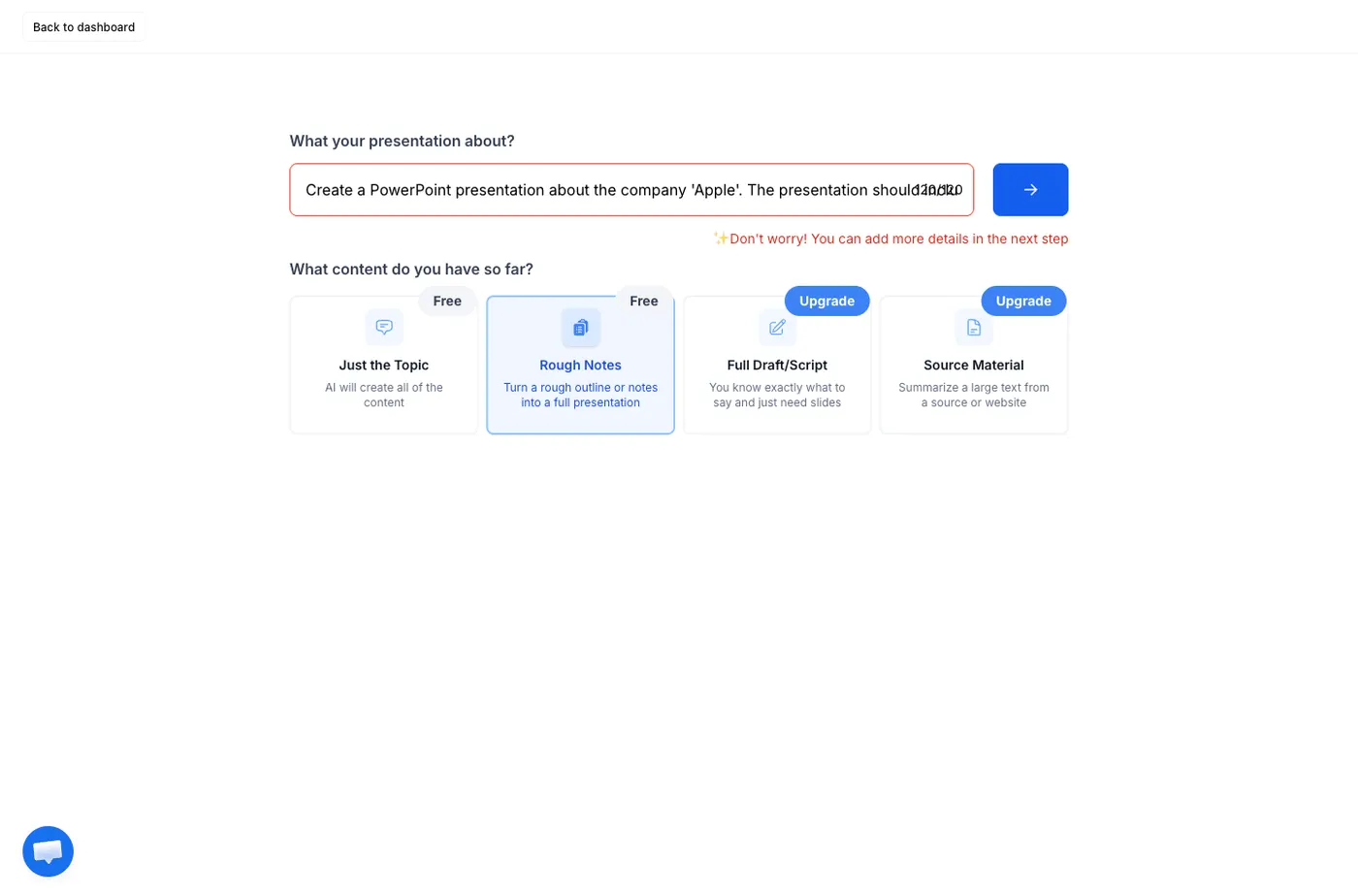
Create a PowerPoint presentation about the company 'Apple'. The presentation should include the history of the company, a list of apple devices with images and a slide about the revenue of the company.
One sentence, with no audience or tone specified. It is not the way to get the best out of any of these tools; it is what a first-time user typing a single line actually gets.
One presentation, not twelve
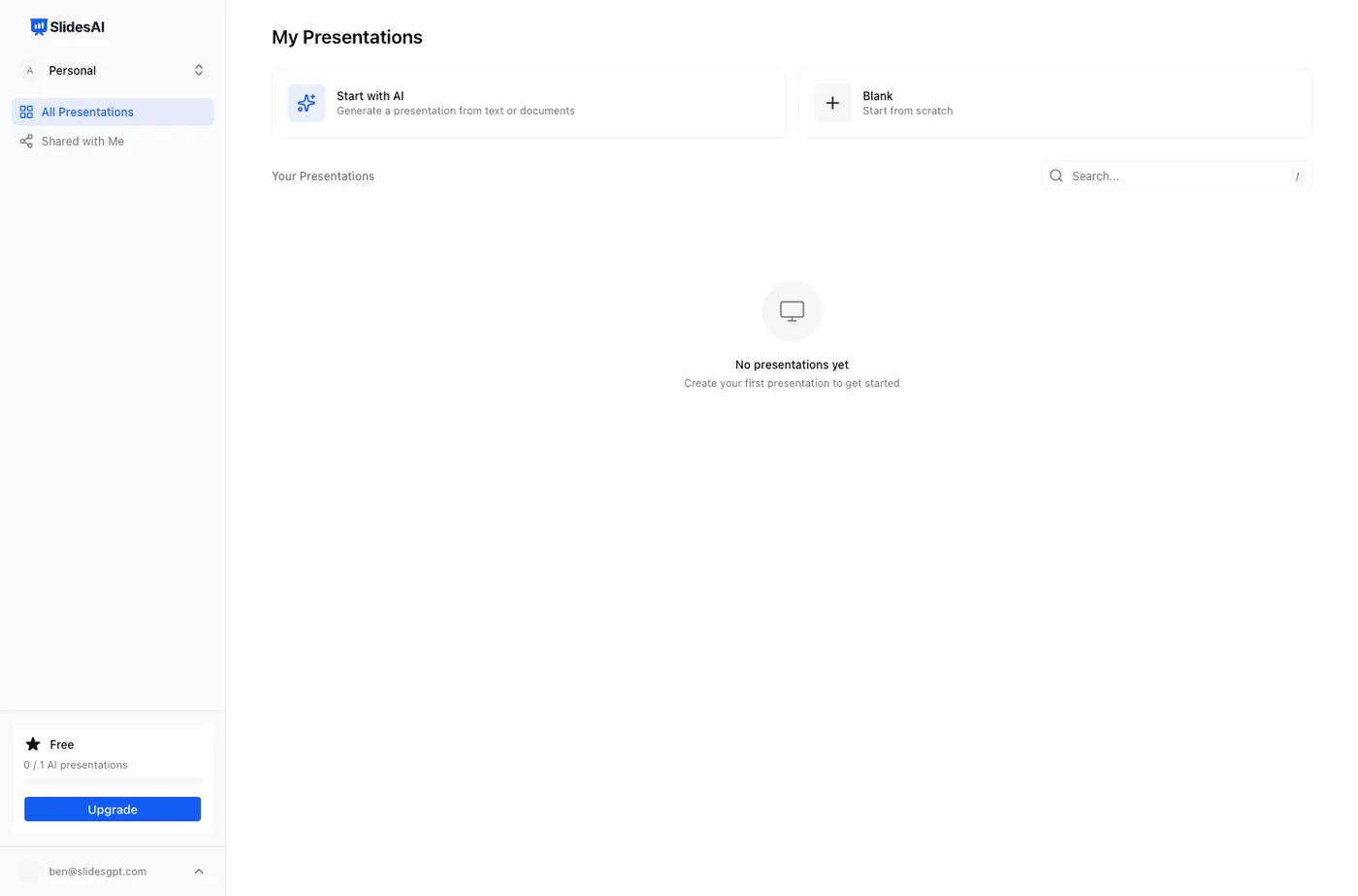
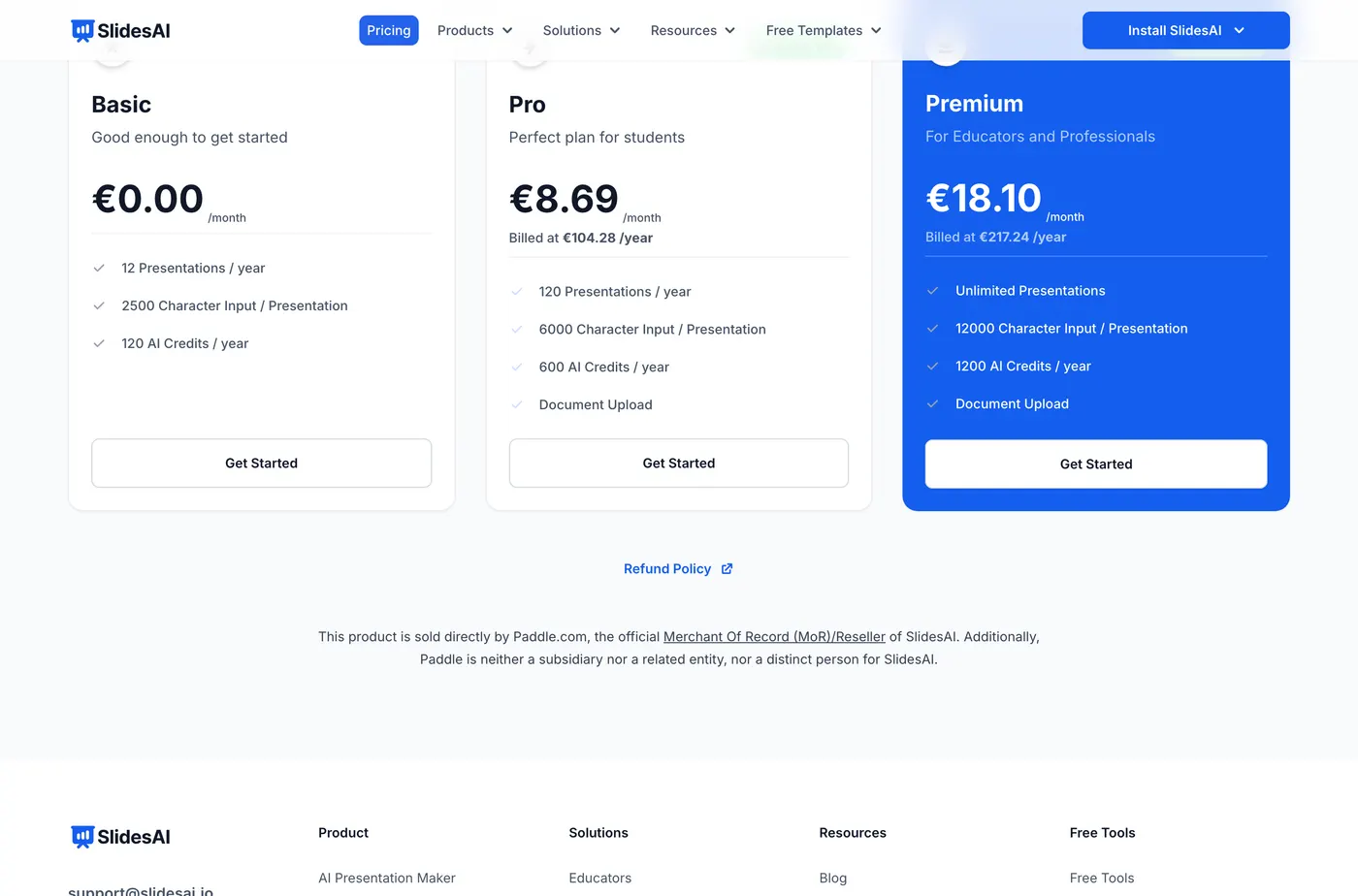
The pricing page sells the free Basic plan as twelve presentations a year. The app disagrees. The dashboard counter reads "0 / 1 AI presentations", and one generation is what you get. We are not saying which figure is correct, only that the number you see after signing up is not the number that persuaded you to sign up.
It wants your details before it will start
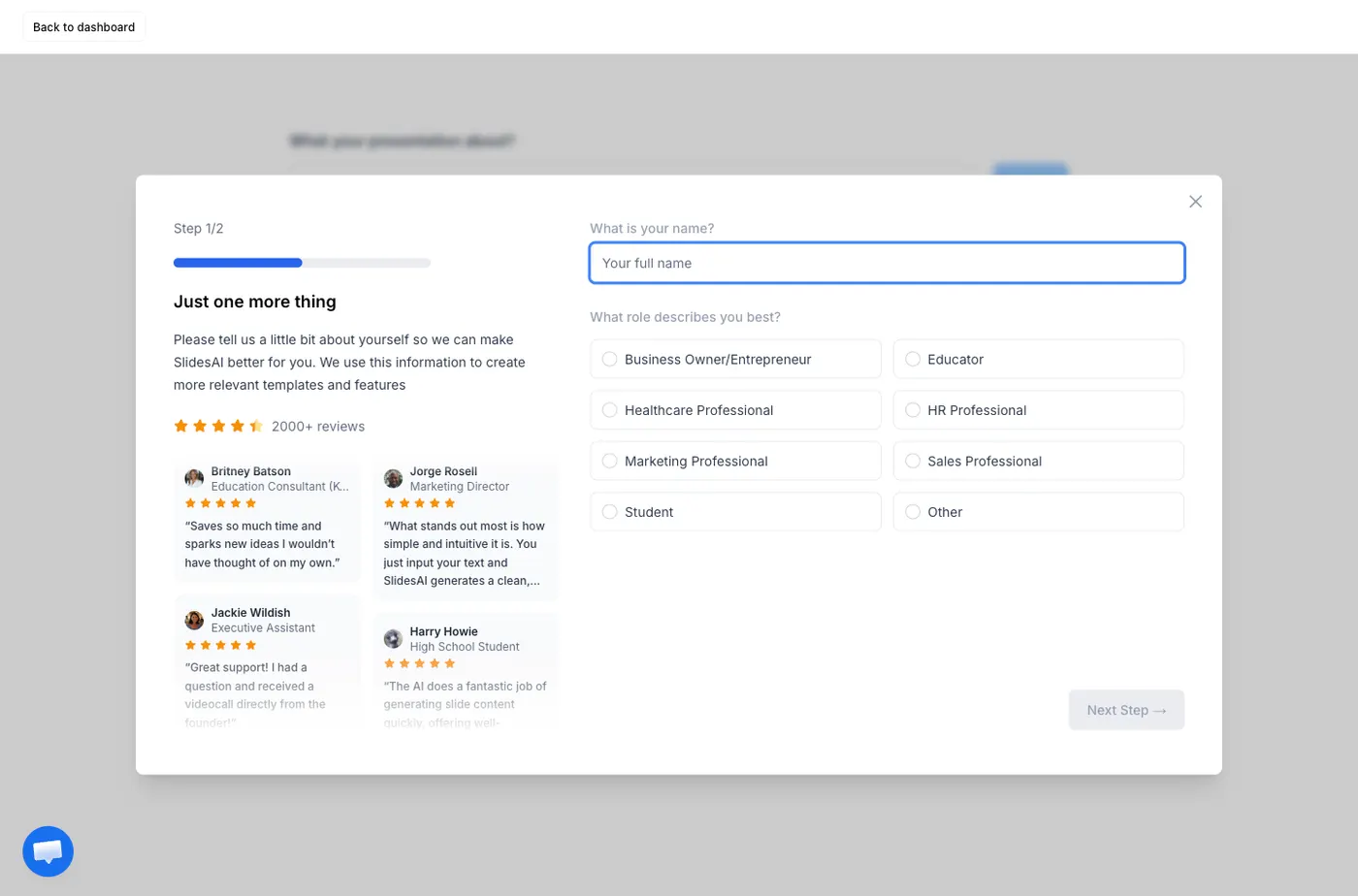
A two-step form blocks the generator: your name, your role, how often you build decks, how you heard about them, and your biggest challenge. Dismissing it does not help; pressing continue brings it straight back. You cannot generate a slide until you have filled it in. Every other tool we tested let us reach a deck first.
The brief does not fit in the box
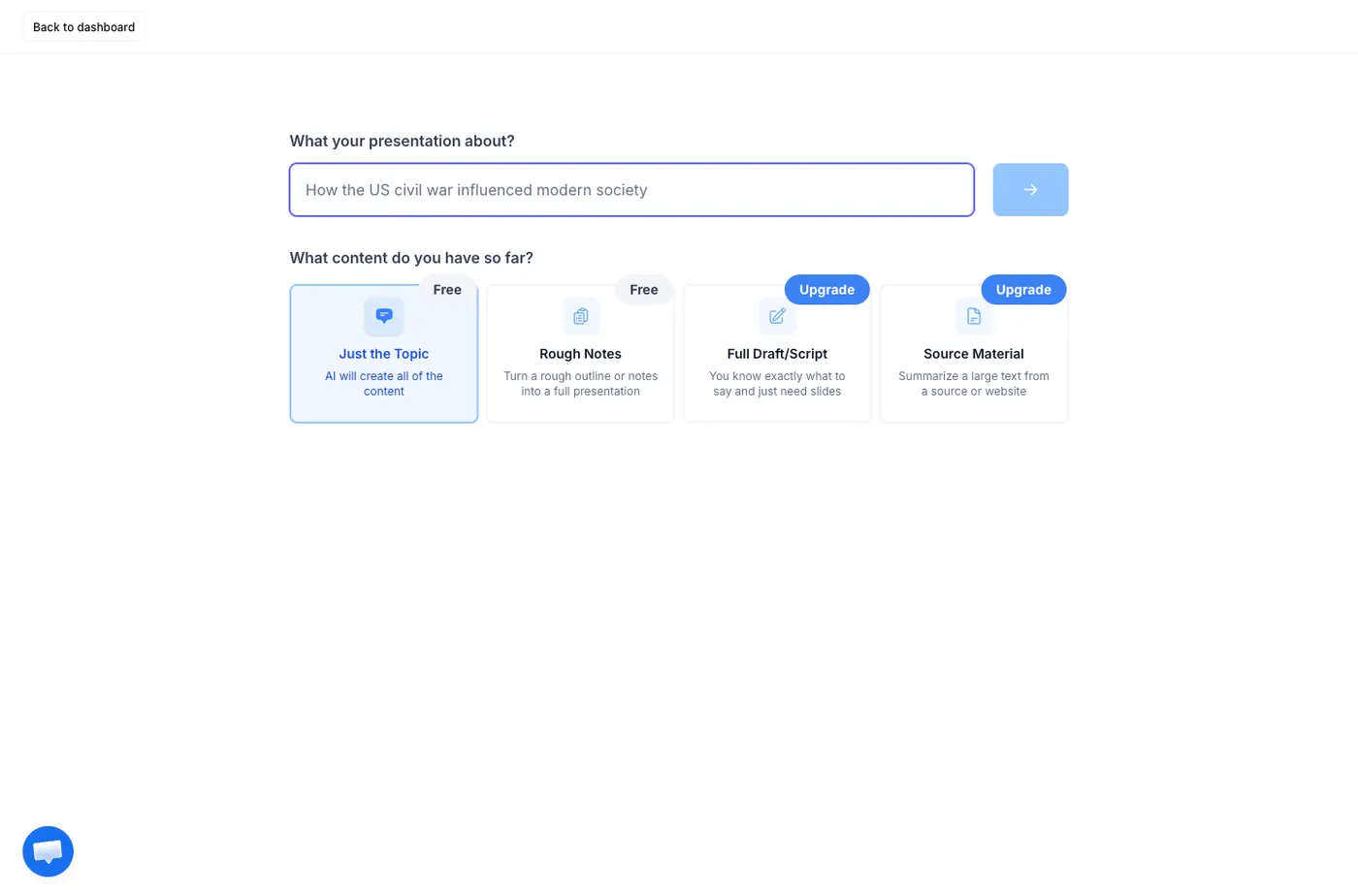
The topic field is a single line capped at 120 characters. Our brief is 201, so it was cut mid-sentence after "the history of the company," losing the device list and the revenue slide entirely. Two of the four input modes, Full Draft and Source Material, are reserved for paid plans. We gave SlidesAI a fair run by using the free Rough Notes mode, which opens a 1000-character field later in the wizard where the whole brief fits.
The writing is the best of the set
Seven slides, and the prose is careful in a way the others are not. It gives the founding as 1 April 1976 in Cupertino, names all three founders, describes the Apple I as hand-built by Wozniak, and includes the 1980 flotation. Nothing in the historical content was wrong, which we cannot say for every tool here.
But the revenue slide has no revenue in it
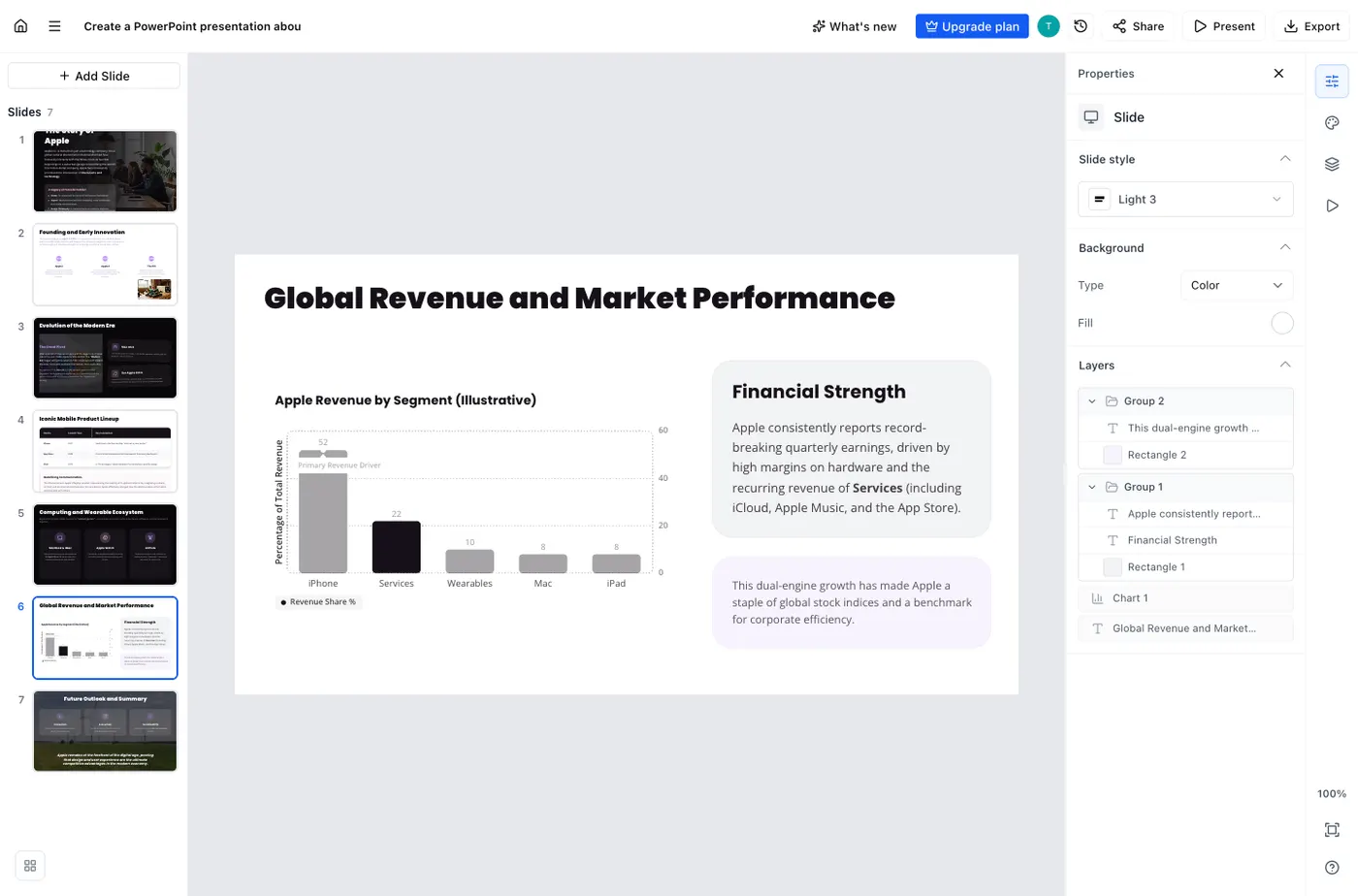
The brief asked for a slide about the company's revenue. What came back is a slide headed "Global Revenue and Market Performance" whose entire text is qualitative: record-breaking quarterly earnings, high margins on hardware, recurring revenue from Services. There is no figure. We searched every number in the exported file and found only years. The chart beside the text carries its own disclaimer, labelled "Apple Revenue by Segment (Illustrative)", and in the exported file it is a flat image rather than a chart, so those illustrative numbers cannot be replaced with real ones either. SlidesAI is being honest that it does not know the figures, which is more than Canva managed, but the slide the brief asked for is not there.
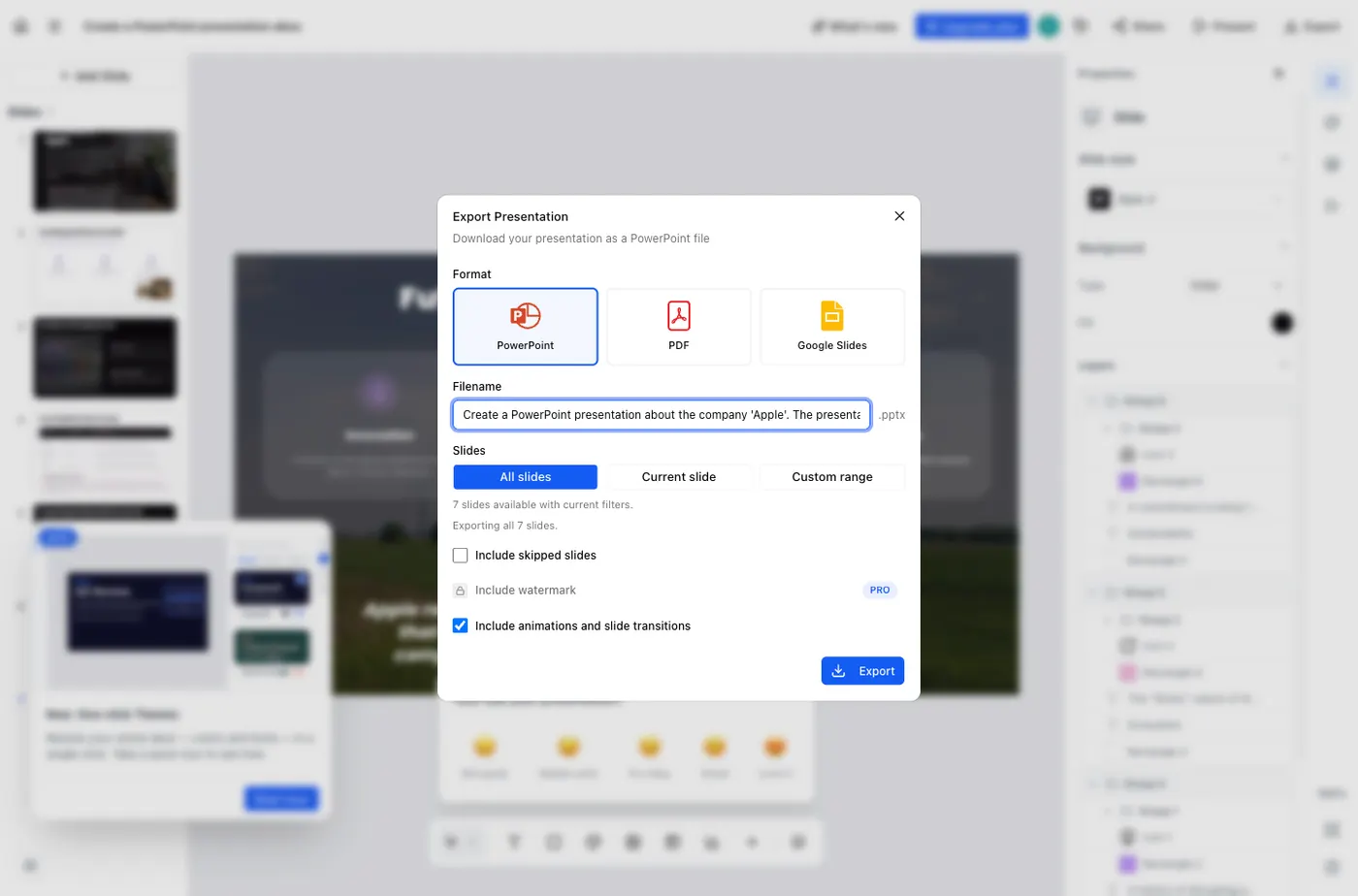
Export is free, and the text really is editable
The export dialog offers PowerPoint, PDF and Google Slides with no upgrade prompt. We unpacked the download: real text in real text boxes on all seven slides, and the comparison table on the device slide is a genuine PowerPoint table you can edit cell by cell. There is no visible SlidesAI watermark on any slide. Two things the dialog does not mention. The chart on the revenue slide is not a chart; it arrives as two flat images, and the file contains an empty chart folder where a real chart object would live, so the numbers cannot be edited. And every one of the seven slides carries a hidden link back to slidesai.io tagged as coming from a PowerPoint export. No watermark you can see, but a marketing tag in all seven slides of a file you might send to a client.
What that means in practice
SlidesAI writes the most reliable prose of anything we tested and gives you an editable file for nothing. The cost is everything around it: a quota that contradicts the pricing page, a mandatory form, a topic box too small for a single-sentence brief, a wizard of six steps where most tools have one, and a tracking link in every exported slide. If you want careful text and will do the setup, it earns its place. If you want to type one line and get a file, that friction is the whole experience. SlidesGPT takes a prompt, a PDF or a YouTube link with no length cap and no questionnaire, and puts export on its paid plan.
What SlidesAI does well
SlidesAI's strength is the writing. In our test it produced the most factually careful prose of any tool here, and its free export opens in PowerPoint with real, editable text and a genuine editable table. It also meets you where you work, as a web app and as add-ons for Google Slides, PowerPoint and ChatGPT.
- Runs as a web app and as add-ons for Google Slides, PowerPoint and ChatGPT
- Free .pptx export with genuinely editable text and tables
- The most factually careful writing of the tools we tested
Where SlidesGPT is different
The difference is what stands between you and the deck. In our test SlidesAI required a name-and-role form before it would generate, offered a topic box capped at 120 characters that truncated our one-sentence brief, allowed a single presentation against a pricing page selling twelve a year, and embedded a slidesai.io tracking link in all seven exported slides. Its charts export as flat images, so the figures cannot be edited. SlidesGPT accepts a PDF or a YouTube link today and produces PowerPoint, Google Slides, and Keynote files.
Which should you choose?
Choose SlidesAI if you work in Google Slides and want a fast first draft inside that editor. Choose SlidesGPT if you want a native PowerPoint or Keynote file, or if you want to generate from a document or a video.
FAQ

Generate your first deck
Turn a topic, a document, or a YouTube link into a structured presentation, then preview the full deck before you decide. Free to start.
Create a presentation