
 Gamma
GammaSlidesGPT vs Gamma
Two fast ways to generate a deck, with a real difference in how the result exports to editable PowerPoint.

Benjamin Spinola, Co-Founder · SlidesGPT
Published July 3, 2026 · Updated August 13, 2026 · 7 min read
A hands-on comparison of SlidesGPT and Gamma, based on our own test deck run through both tools in August 2026 alongside each tool's public documentation.
Gamma and SlidesGPT both turn a short prompt into a finished deck in minutes, and both are free to start. The difference shows up when you need a Microsoft PowerPoint file you can keep editing.
Gamma is web-first: it builds scrollable "cards" rendered in HTML and is designed to be presented or shared as a live link. SlidesGPT is built around producing a genuinely editable PowerPoint, Google Slides, or Keynote file. If your deliverable is a live web page, Gamma fits well. If it is an editable .pptx that opens cleanly in PowerPoint, that is what SlidesGPT is designed for.
SlidesGPT vs Gamma at a glance
| Feature | SlidesGPT | Gamma |
|---|---|---|
| Editable PowerPoint export | Native, editable .pptx built as the core output (also Google Slides and Keynote); export on the Pro plan | Exports .pptx on all plans, but scales its taller web slides down to fit PowerPoint's canvas, so what you approve on screen is not what the file contains |
| Free to start | Yes. Generate and preview a full deck for free | Yes. 400 one-time AI credits and a "Made with Gamma" badge on free output |
| Input sources | Text prompt, PDF, and YouTube | Text prompt, pasted text, a template, or an imported file or URL |
| Free allowance | Generate and preview full decks for free | 400 one-time credits that do not renew. Our 10-slide test deck cost 52, so roughly 7 decks in total |
| Primary deliverable | An editable presentation file | A shareable web link (slides, docs, or webpages) |
| Best for | People who need a clean, editable PowerPoint or Google Slides file | People who present or share as a live web link and treat export as secondary |
What SlidesGPT and Gamma cost
Prices as we saw them in August 2026. The row that matters is the last one: the cheapest plan that hands you a PowerPoint whose text you can actually edit.
What the free tier gives you
- SlidesGPT
- Generate and preview full decks, no export
- Gamma
- 400 one-time credits, roughly 7 decks, and export is included
Cheapest plan with an editable PowerPoint
- SlidesGPT
- Pro at $7.49 a month billed annually ($89.99 a year)
- Gamma
- Free
What you actually get in that file
- SlidesGPT
- Editable PowerPoint, Google Slides and Keynote, 10 downloads a month
- Gamma
- But it warned us five of ten slides would be scaled to fit PowerPoint, and free decks carry a Made with Gamma badge
Metered by credits?
- SlidesGPT
- No credits. Pro is capped in decks, not tokens: 10 downloads a month
- Gamma
- Yes. 400 one-time credits that never refresh, then 1,000 a month on Plus, 4,000 on Pro, 20,000 on Ultra. Gamma publishes no per-action rate and states the rates may change
What one deck actually costs
- SlidesGPT
- $0.75 a deck, if you use all ten ($7.49 ÷ 10)
- Gamma
- About seven decks free, then €0.42 each: we measured 52 credits for ten slides, so Plus at €8 a month buys about 19 decks
Currency we were shown
- SlidesGPT
- USD
- Gamma
- EUR only from Europe (€0, €8, €18, €77.33 a seat a month)
Checked August 2026 from each vendor's own pages and, where we had an account, from inside the product. Credit allowances come from each vendor's published pricing; where we could measure consumption ourselves we say so. Several vendors set prices by region, so what you see may differ from what we saw.
Compare all nine on priceWe built the same deck in Gamma
We ran one brief through Gamma on a free account in July 2026 and recorded what happened at each step, including what its own export dialog says about PowerPoint. It is the same brief we used in our ChatGPT comparison, so the two are directly comparable.
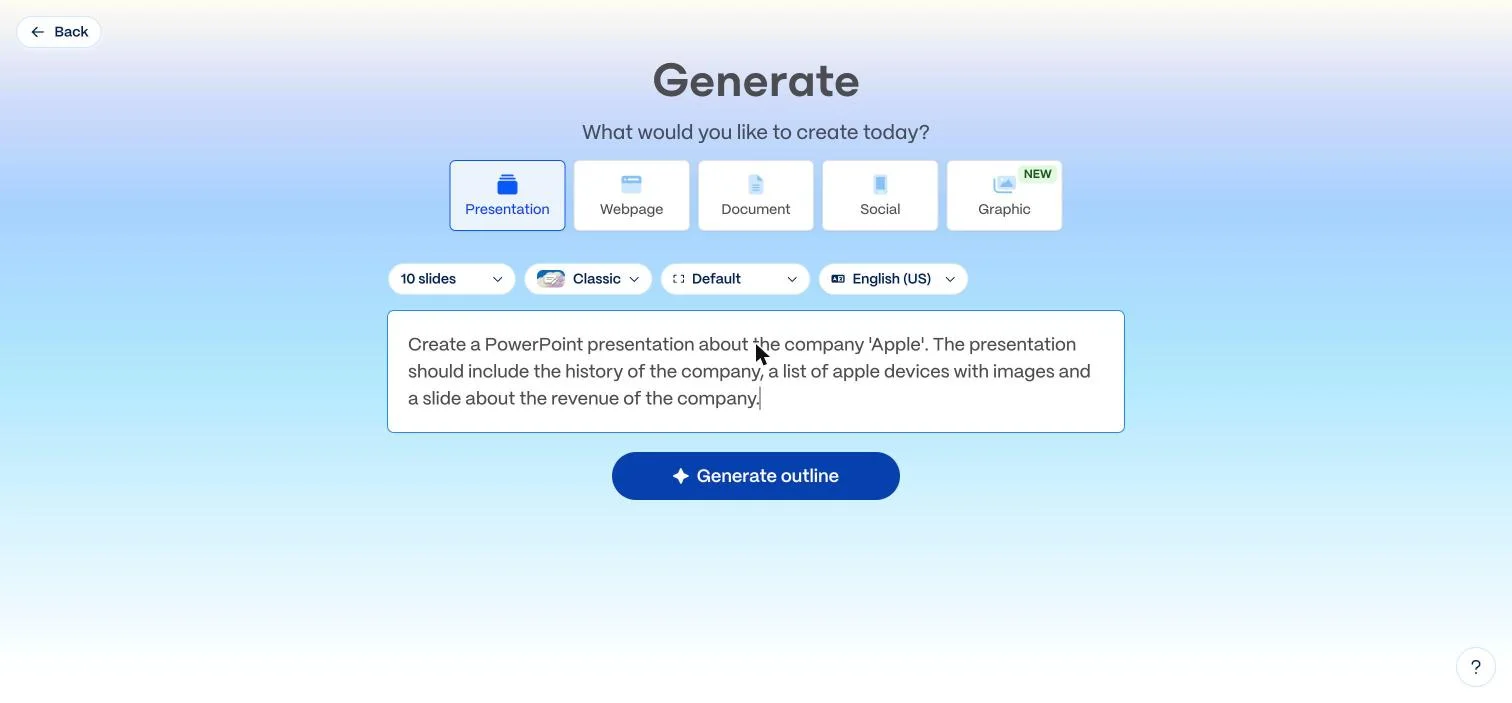
Create a PowerPoint presentation about the company 'Apple'. The presentation should include the history of the company, a list of apple devices with images and a slide about the revenue of the company.
One sentence, with no audience or tone specified. This is not the way to get the best out of either tool; it is what a first-time user typing a single line actually gets.
Getting to a deck
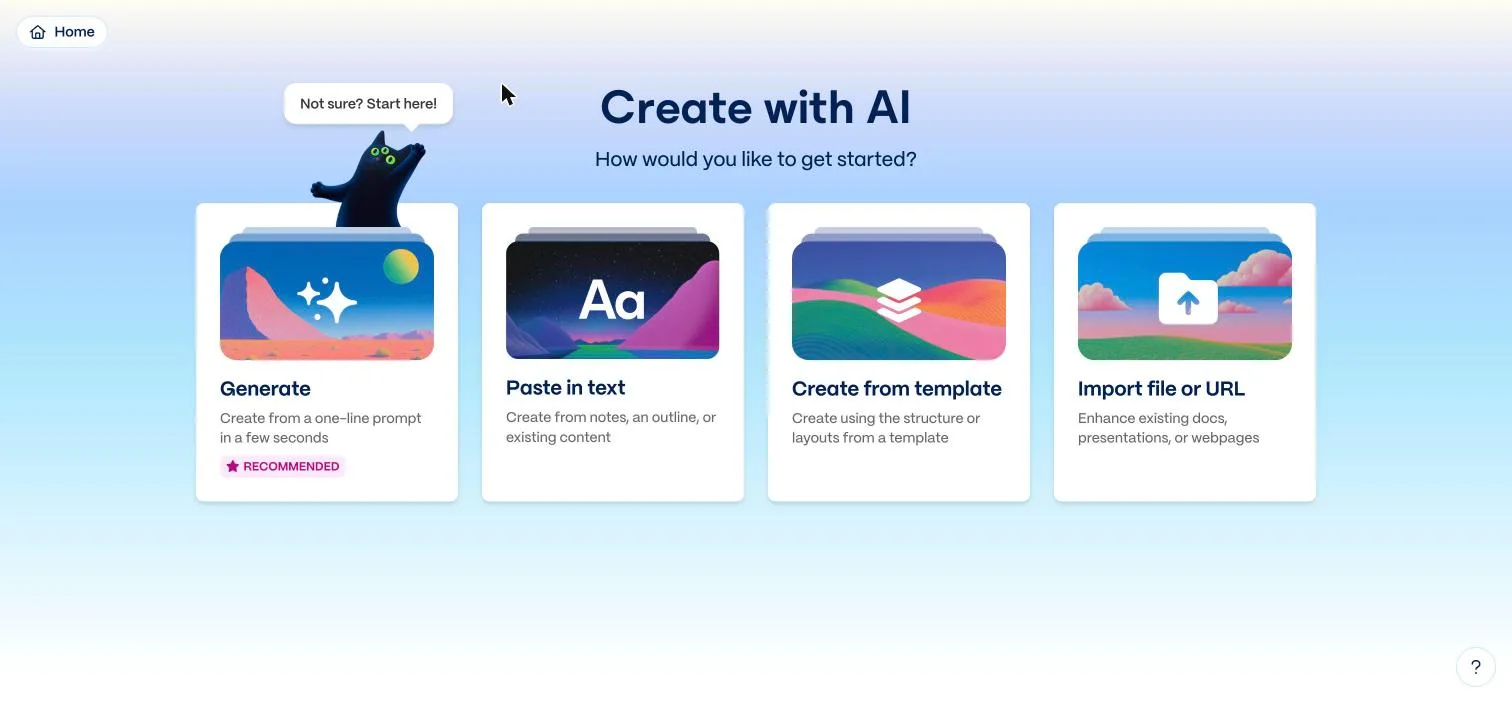
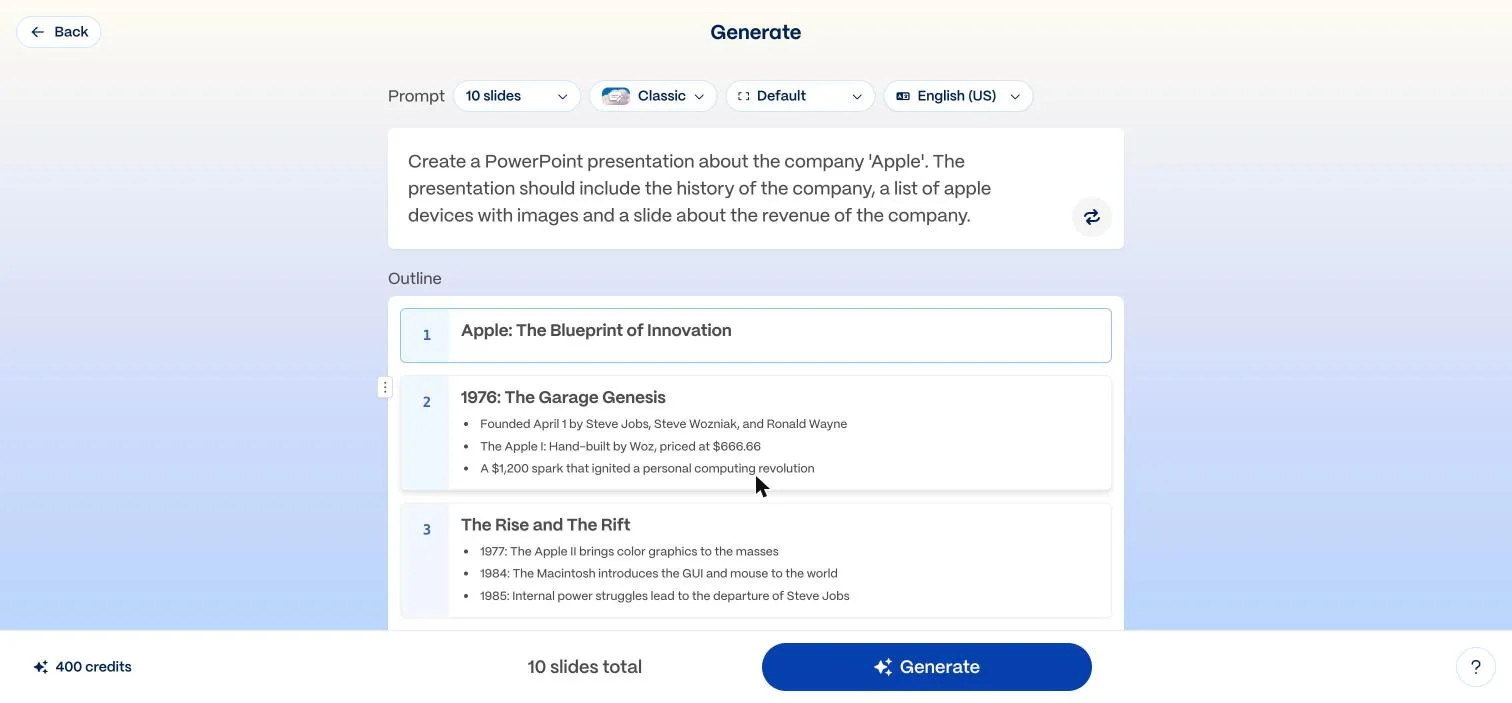
Gamma asks what you want to build before you write anything: a presentation, webpage, document, social post or graphic. You pick the slide count up front, ten by default. It then writes an editable outline and only generates the deck once you approve it, which is the same outline-first shape SlidesGPT uses.
- The outline step consumed no credits; only the final generation did
- The outline was specific and accurate, with the April 1976 founding, the Apple I at $666.66, the 1998 iMac and the 2018 trillion-dollar market cap
- Generating the ten slides took a little under a minute
The design is genuinely good
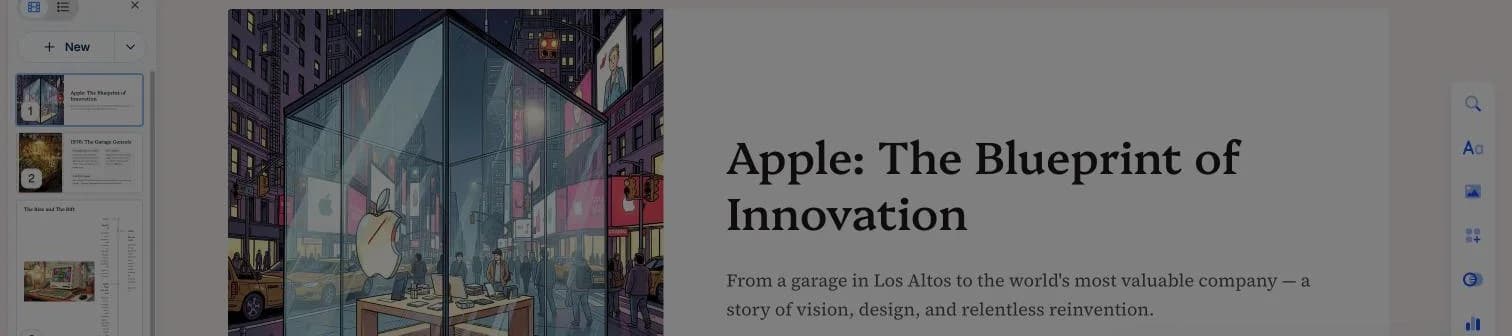
This is Gamma's real strength and it deserves saying plainly. Every slide came back with a bespoke AI-generated illustration rather than a stock photo or an empty placeholder, and the titles were written editorially rather than mechanically: The Garage Genesis, The Near-Collapse, The Revenue Machine. Straight out of the generator it looked like something you could put in front of people.
What the free plan actually buys you
The account started with 400 credits. After one ten-slide deck the balance read 348, so this single generation cost 52 credits. On the free plan those 400 credits do not renew, which works out to roughly seven decks in total before you have to pay.
Then we opened the PowerPoint export
Gamma offers PDF, PowerPoint and Google Slides, and export is available on the free plan. But the dialog describes what you get as a static copy of the page, and before you download anything Gamma raises a warning of its own accord:
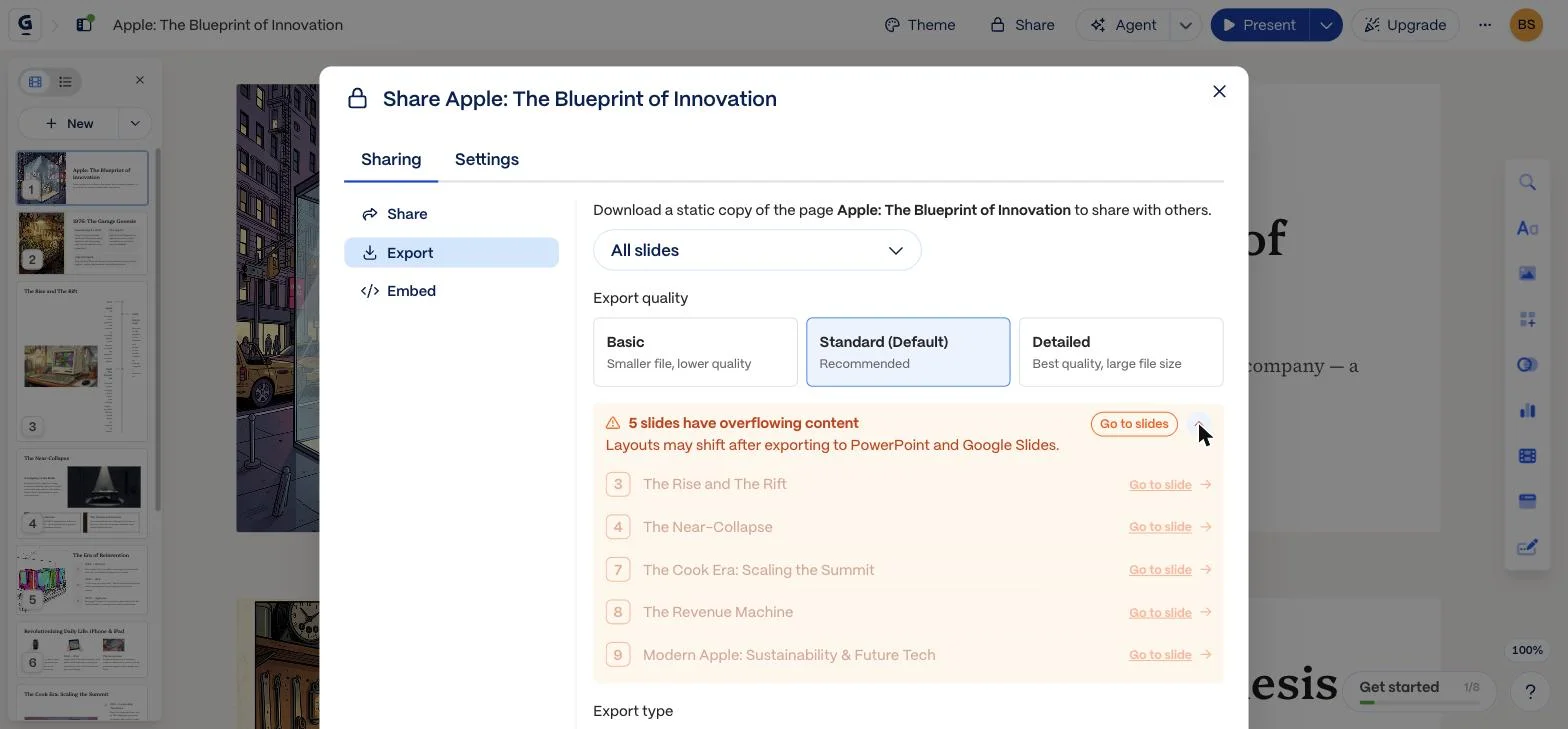
5 slides have overflowing content. Layouts may shift after exporting to PowerPoint and Google Slides.
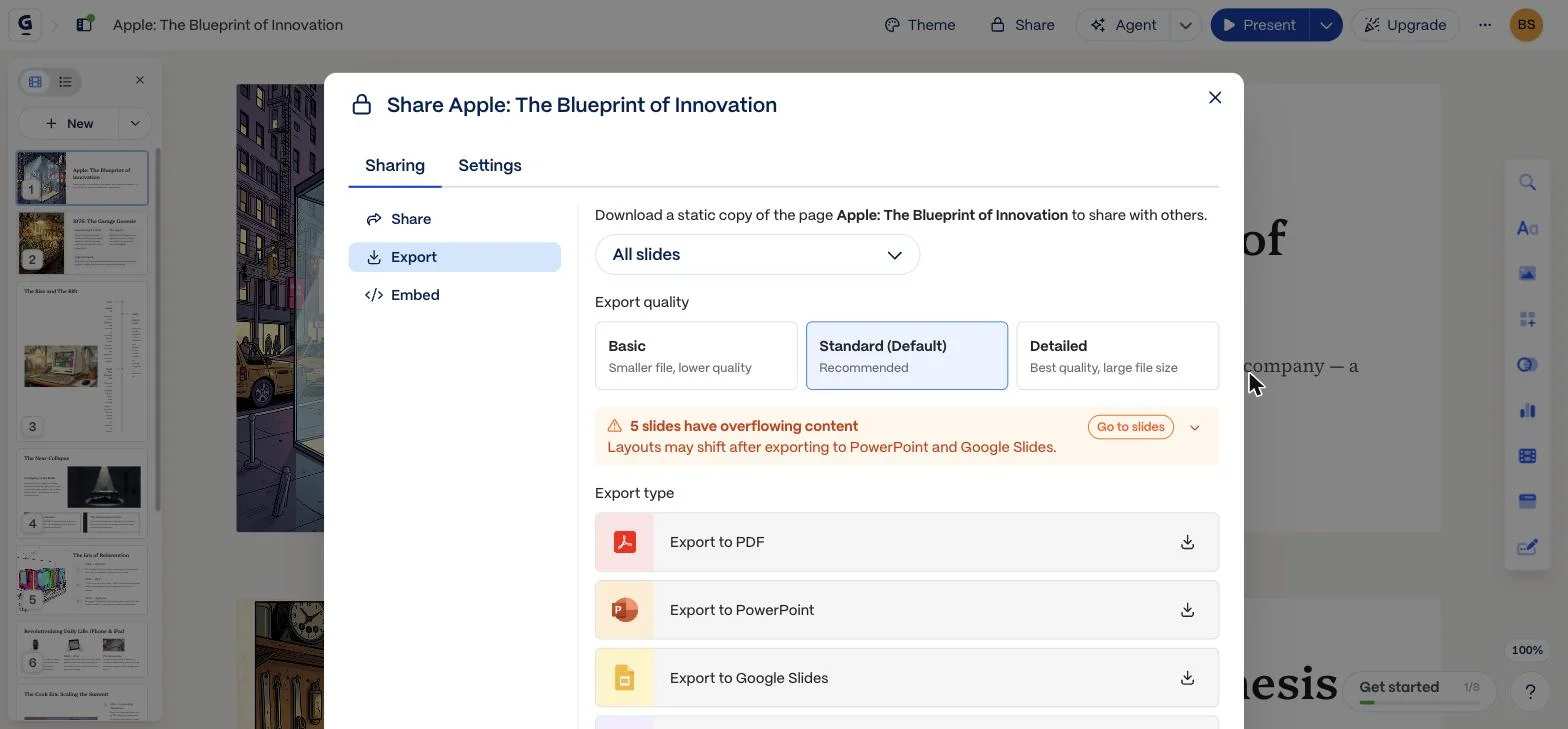
Five of the ten slides, including the one we asked for
Expanding that warning names them: slide 3 The Rise and The Rift, 4 The Near-Collapse, 7 The Cook Era, 8 The Revenue Machine and 9 Modern Apple. Half the deck. Slide 8 is the revenue slide the prompt specifically asked for, so the one slide the brief called out by name is among those Gamma expects to shift on the way into PowerPoint.
What you see is not what you get
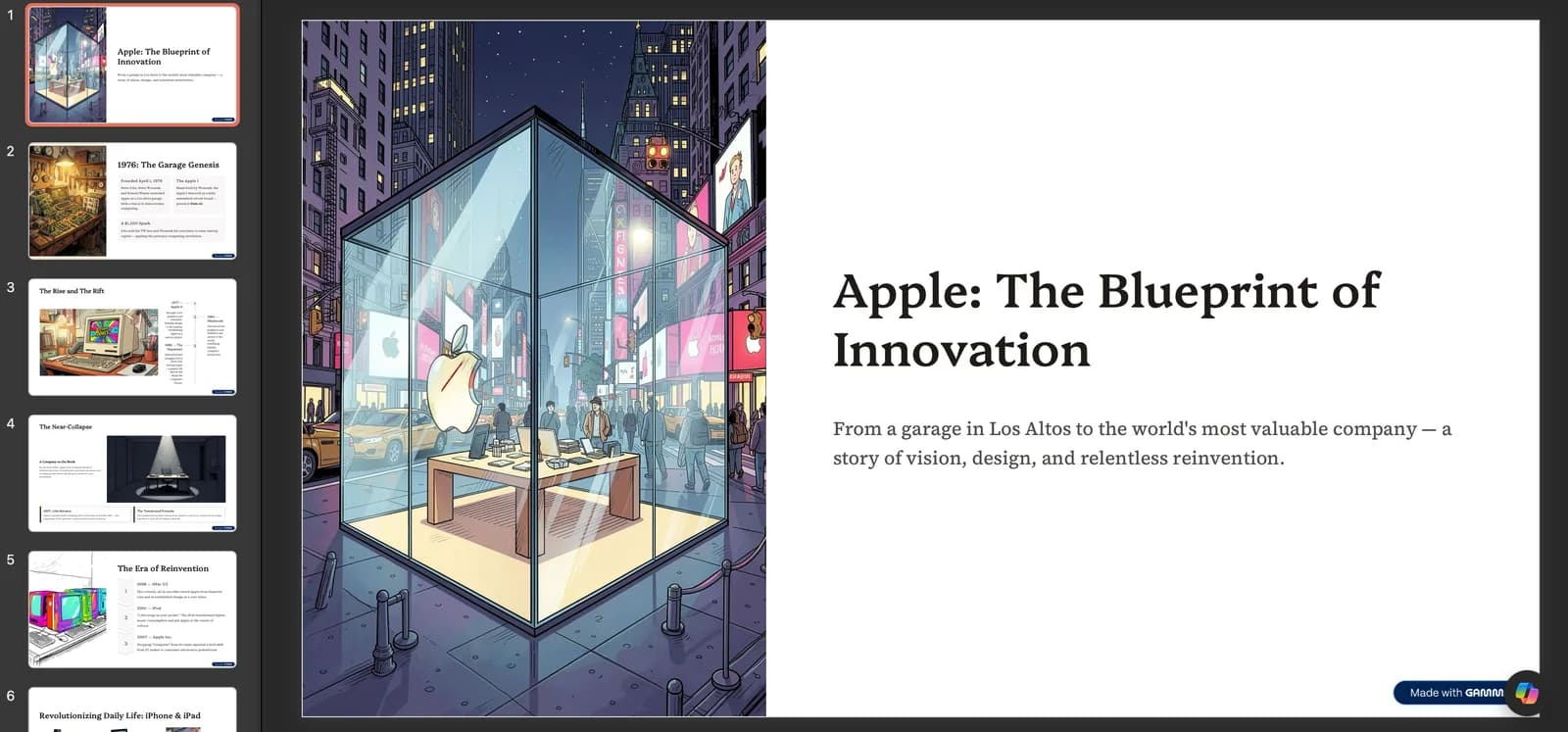
We exported the deck and opened it in PowerPoint. Because Gamma's slides are taller than a PowerPoint canvas, the export scales them down to fit, and that is the crux: the file you hand over is not the deck you approved on screen. Text that was comfortable in the browser arrives compressed into narrow columns on the flagged slides, and on the free plan every slide also carries a Made with Gamma badge.
Why this happens, in Gamma's own words
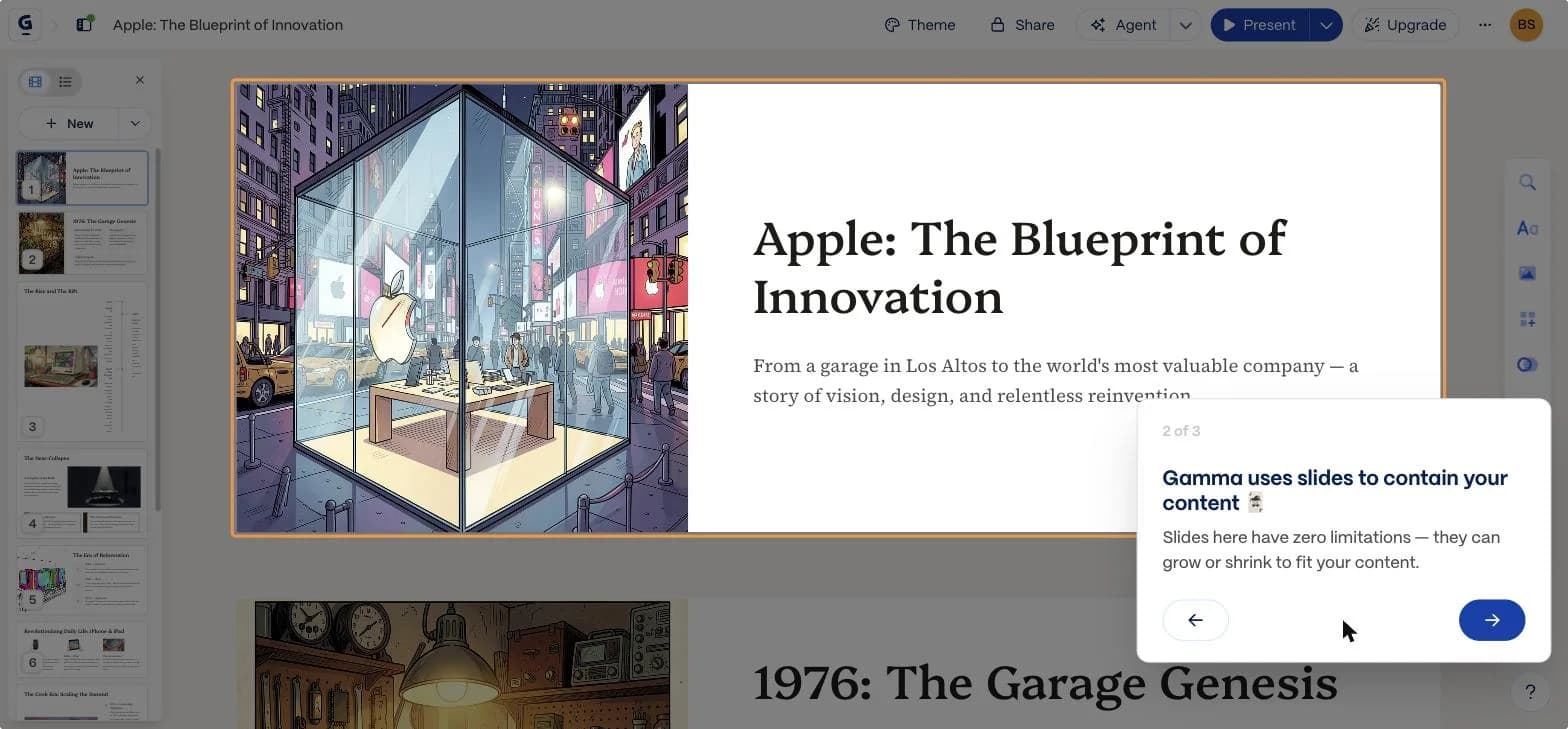
This is less a bug than the architecture, and Gamma explains it during onboarding. Its slides are elastic and built from stacked blocks, closer to a web page than to a fixed slide canvas. PowerPoint slides are a fixed size holding positioned shapes, so content that was free to grow in a browser has to be scaled or reflowed when it lands on a 16:9 canvas.
Gamma uses slides to contain your content. Slides here have zero limitations — they can grow or shrink to fit your content.
What that means in practice
If your deck will live at a web link, none of this matters and Gamma is an excellent choice. If the deliverable is a PowerPoint file that someone else will edit, you lose the guarantee that the file matches the preview, and on this deck you would be reformatting about half of it. SlidesGPT composes on a fixed slide canvas from the start, so the preview and the exported PowerPoint, Google Slides or Keynote file are the same layout, and no scaling step sits in between.
What Gamma does well
Gamma is genuinely strong at what it is built for. It produces good-looking decks from a prompt with very little setup, and its web-native model lets one tool make slides, documents, and simple webpages. Export is available on the free plan, in PowerPoint, PDF and Google Slides alike. For anyone whose final format is a live link, Gamma is a fast, polished option.
- Fast prompt-to-deck generation with attractive defaults
- Web-native output that works as slides, docs, or a webpage
- A free tier to evaluate before paying
Where SlidesGPT is different
SlidesGPT treats the editable file as the point, not a downstream conversion. Because Gamma renders cards in HTML, its slides are taller than PowerPoint's canvas. In our test it warned us before export that five of the ten slides would be scaled down to fit, including the revenue slide we had specifically asked for, and its own dialog describes the export as a static copy. SlidesGPT generates the deck as native slide objects, so the PowerPoint, Google Slides, or Keynote file stays editable. SlidesGPT also accepts a PDF or a YouTube link as the source, not only a typed prompt.
Which should you choose?
Choose Gamma if you will present from a live web link and want a quick, attractive result. Choose SlidesGPT if your deliverable is an editable PowerPoint or Google Slides file, or if you want to build the deck from a document or a video rather than a prompt.
FAQ

Generate your first deck
Turn a topic, a document, or a YouTube link into a structured presentation, then preview the full deck before you decide. Free to start.
Create a presentation