
 Microsoft Copilot
SlidesGPT vs Microsoft Copilot
Native PowerPoint output that requires a paid Microsoft 365 and Copilot license, versus a free-to-start standalone tool.

Benjamin Spinola, Co-Founder · SlidesGPT
Published July 3, 2026 · Updated August 13, 2026 · 7 min read
A hands-on comparison of SlidesGPT and Microsoft Copilot, based on our own test deck run through both tools in August 2026 alongside each tool's public documentation.
Copilot in PowerPoint has a real structural advantage: it works inside PowerPoint itself, so its output is a native file with no conversion step. The catch is access. It requires a qualifying paid Microsoft 365 plan plus a separate paid Copilot license, and there is no free path to the in-app slide-generation feature.
SlidesGPT is free to start and works in the browser, with no Microsoft 365 subscription and no per-seat Copilot add-on. Both aim at an editable PowerPoint result, so the honest comparison is about cost, access, and how you get there.
One disclosure: unlike most pages in this series, we have not run our own test deck through Copilot, because doing so needs a paid Microsoft 365 plan and a paid Copilot seat. Everything below comes from Microsoft's published material and from reporting, not from our own hands on the product.
SlidesGPT vs Microsoft Copilot at a glance
| Feature | SlidesGPT | Microsoft Copilot |
|---|---|---|
| Free to start | Yes. Generate and preview a full deck for free | No. The in-app feature needs a paid Microsoft 365 plan plus a paid Copilot license |
| Editable PowerPoint output | Native, editable .pptx on the Pro plan; also Google Slides and Keynote | Native, editable .pptx inside PowerPoint. In our test it was the only tool of nine whose chart exported as a real chart with an embedded worksheet |
| Requirements | A browser. No install or subscription to begin | A qualifying Microsoft 365 subscription and a per-seat Copilot add-on |
| Input sources | Text prompt, PDF, and YouTube | A prompt or documents already inside your Microsoft 365 tenant |
| Best for | Anyone who wants to start free, outside the Microsoft stack | Organizations already paying for Microsoft 365 and Copilot |
What SlidesGPT and Microsoft Copilot cost
Prices as we saw them in August 2026. The row that matters is the last one: the cheapest plan that hands you a PowerPoint whose text you can actually edit.
What the free tier gives you
- SlidesGPT
- Generate and preview full decks, no export
- Microsoft Copilot
- None. Needs a Microsoft 365 plan plus a Copilot licence
Cheapest plan with an editable PowerPoint
- SlidesGPT
- Pro at $7.49 a month billed annually ($89.99 a year)
- Microsoft Copilot
- Bundled Microsoft 365 plans from $18 to $32 per user a month
What you actually get in that file
- SlidesGPT
- Editable PowerPoint, Google Slides and Keynote, 10 downloads a month
- Microsoft Copilot
- The only tool of the nine whose chart exported as a real, editable chart
Metered by credits?
- SlidesGPT
- No credits. Pro is capped in decks, not tokens: 10 downloads a month
- Microsoft Copilot
- No credits. You buy a seat and generate as much as you like
What one deck actually costs
- SlidesGPT
- $0.75 a deck, if you use all ten ($7.49 ÷ 10)
- Microsoft Copilot
- $18 to $32 per user a month flat, on top of Microsoft 365
Currency we were shown
- SlidesGPT
- USD
- Microsoft Copilot
- USD
Checked August 2026 from each vendor's own pages and, where we had an account, from inside the product. Credit allowances come from each vendor's published pricing; where we could measure consumption ourselves we say so. Several vendors set prices by region, so what you see may differ from what we saw.
Compare all nine on priceWe built the same deck in Copilot
We ran the same brief through Microsoft 365 Copilot inside PowerPoint for the web in August 2026, on a paid Copilot seat, one of nine AI presentation tools we put through the same one-sentence brief. We will not bury the result: on the two things we have been measuring across this whole series, accuracy and whether the file is really editable, Copilot won. It is also the slowest and by far the hardest to get access to.
Create a PowerPoint presentation about the company 'Apple'. The presentation should include the history of the company, a list of apple devices with images and a slide about the revenue of the company.
One sentence, with no audience or tone specified. It is not the way to get the best out of any of these tools; it is what a first-time user typing a single line actually gets. One deviation to declare: Copilot's prompt box comes pre-filled with the words "Create a presentation about", so our brief went in wrapped inside that phrase rather than exactly as typed elsewhere. Copilot parsed it correctly, but it is not a byte-identical input.
It asks three questions before writing anything
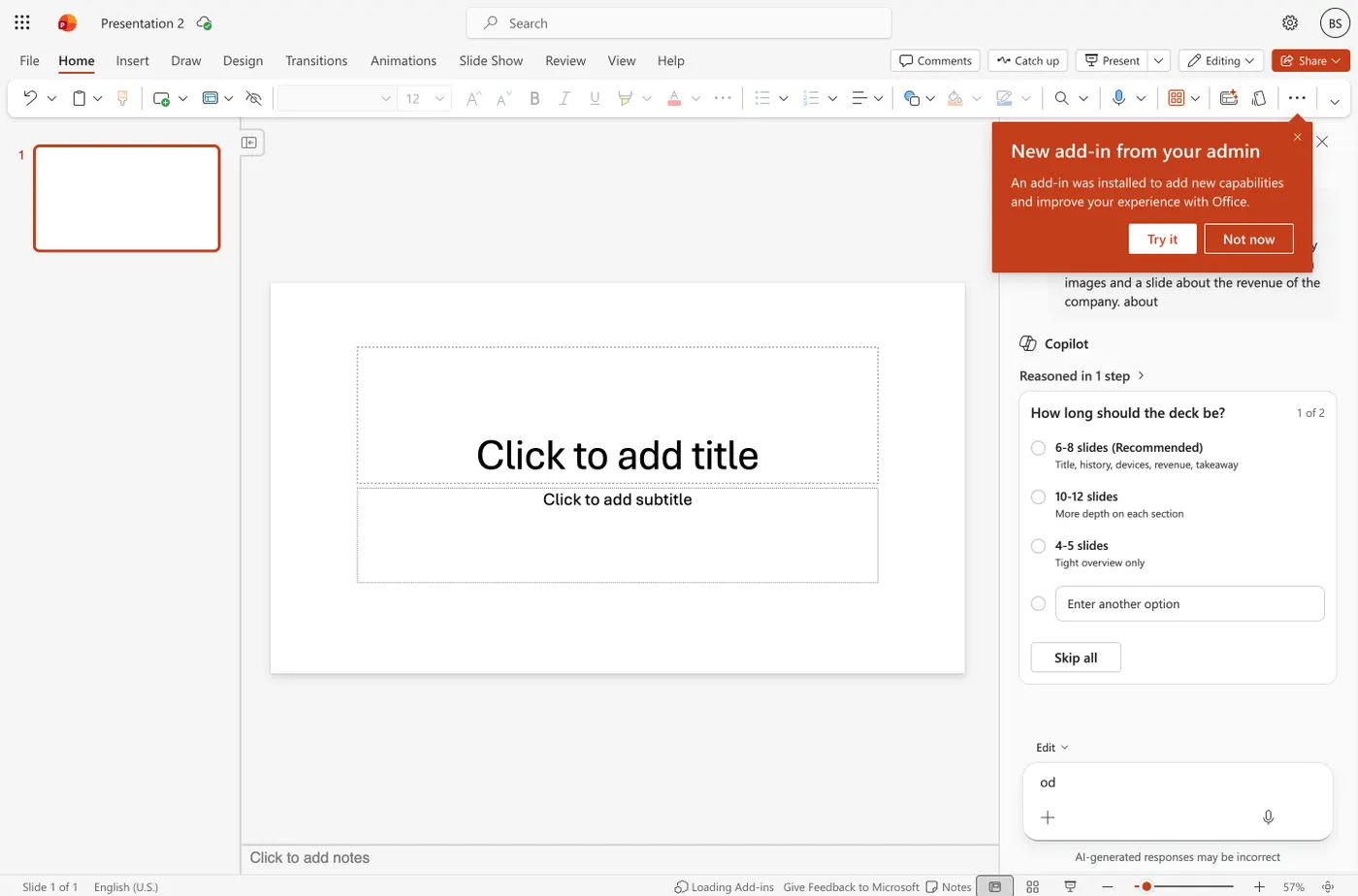
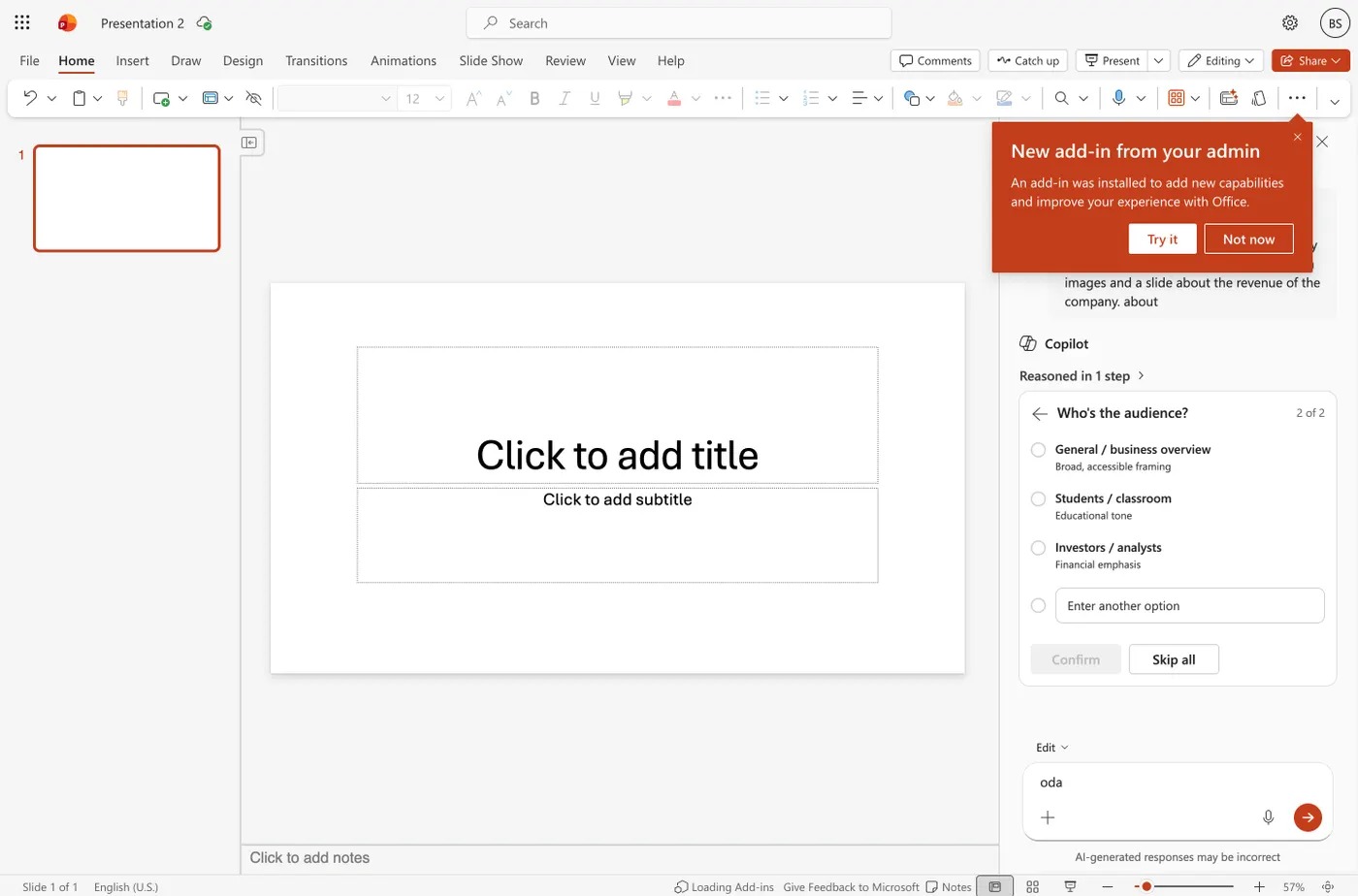
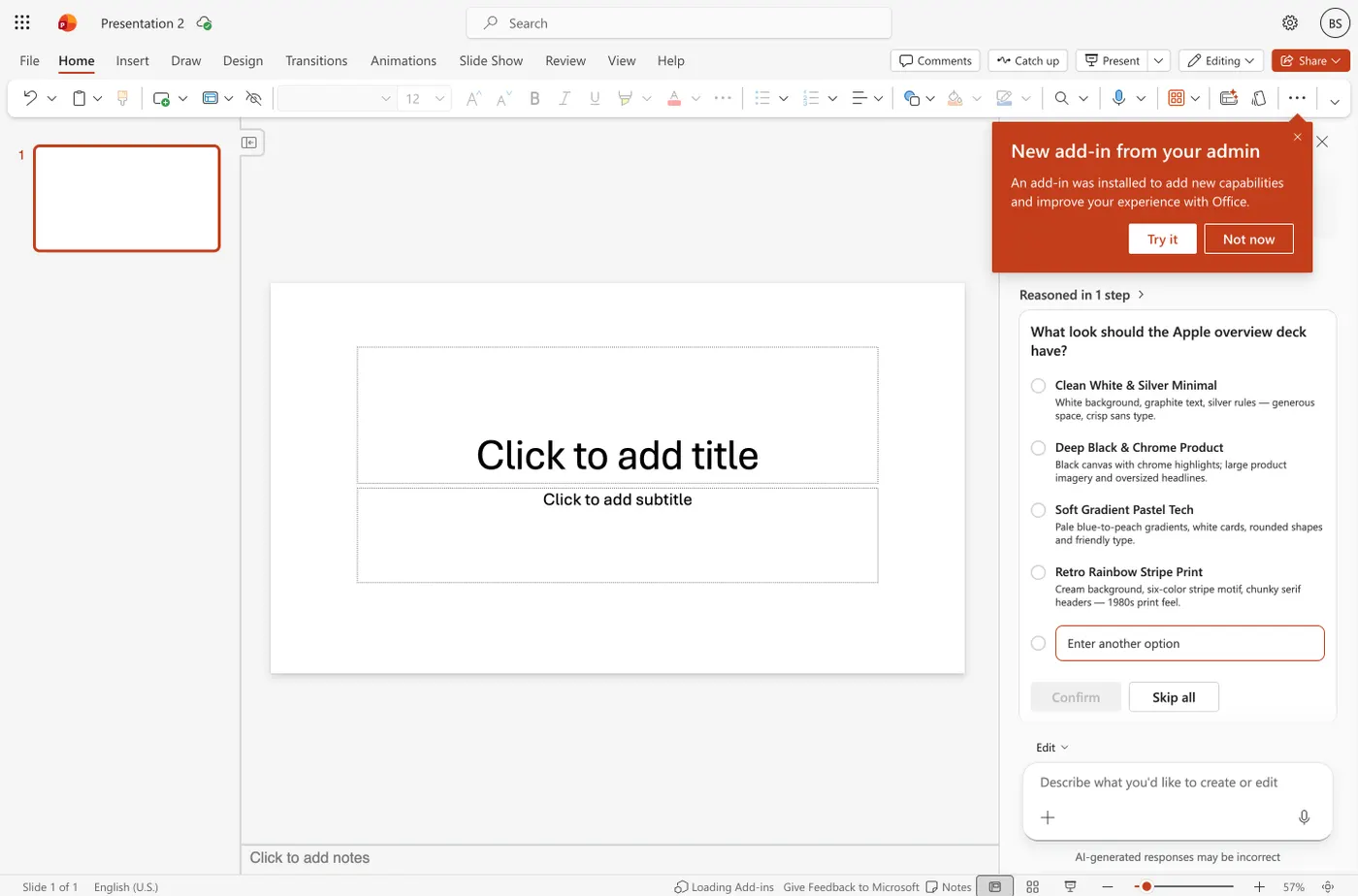
Copilot does not start generating. It asks how long the deck should be, offering six to eight slides as its recommendation and naming the structure it has in mind: title, history, devices, revenue, takeaway. Then it asks who the audience is. Then it asks which of four visual styles you want. Three rounds of questions, more than any other tool here, and the only one that asks about audience. If you dislike being interviewed, this will annoy you; if you have ever received a deck pitched at the wrong room, it is the most useful thing in this comparison.
Then it takes its time
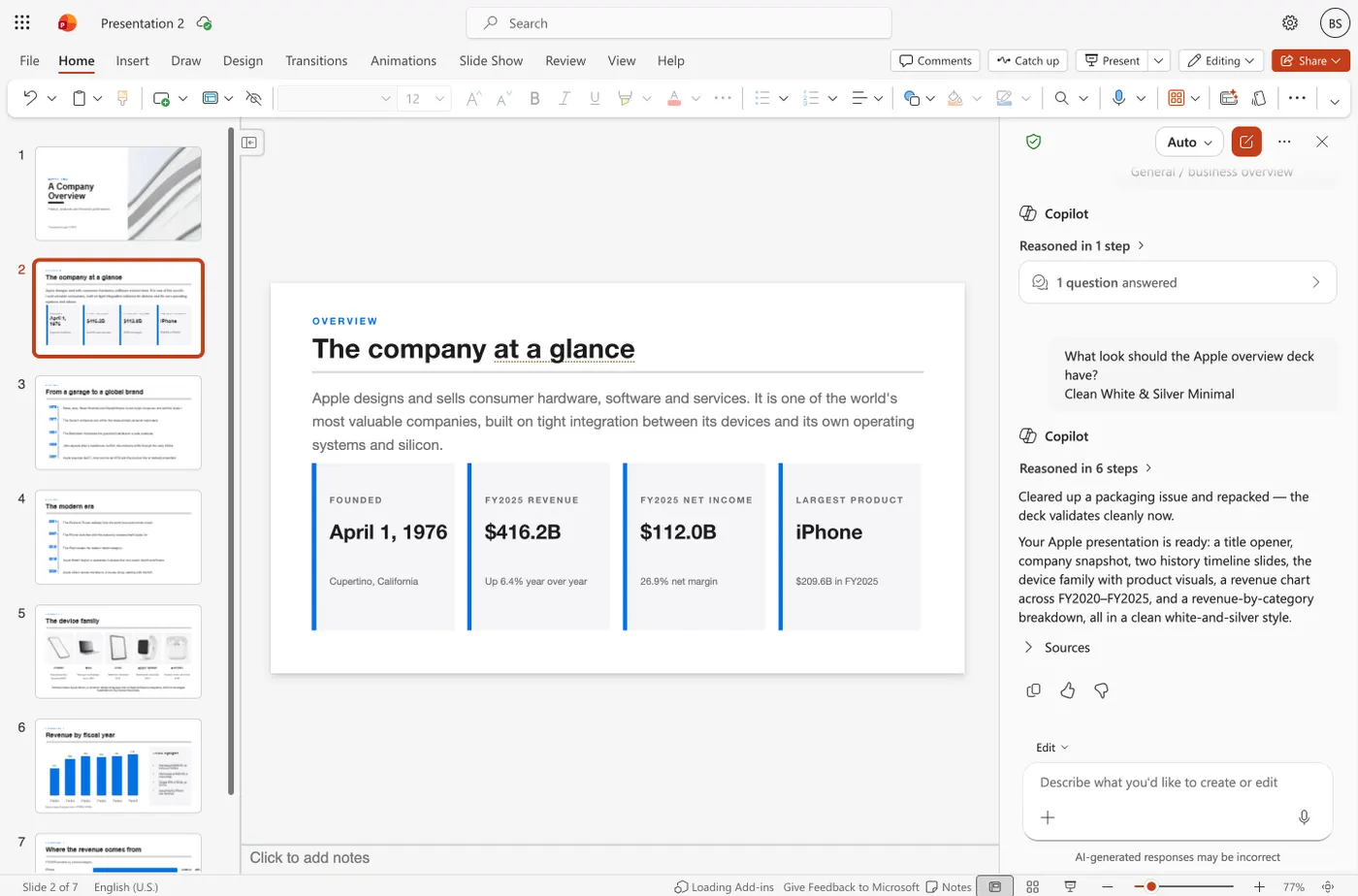
From the last answer to a finished deck took a little under seven minutes, during which the pane narrated what it was doing: thinking it through, creating images, resolving device identifiers, spacing rows and resizing cards. Every other tool in this series returned something in one to two minutes. Copilot is the slowest of the nine by a wide margin.
The revenue slide is the best of the nine
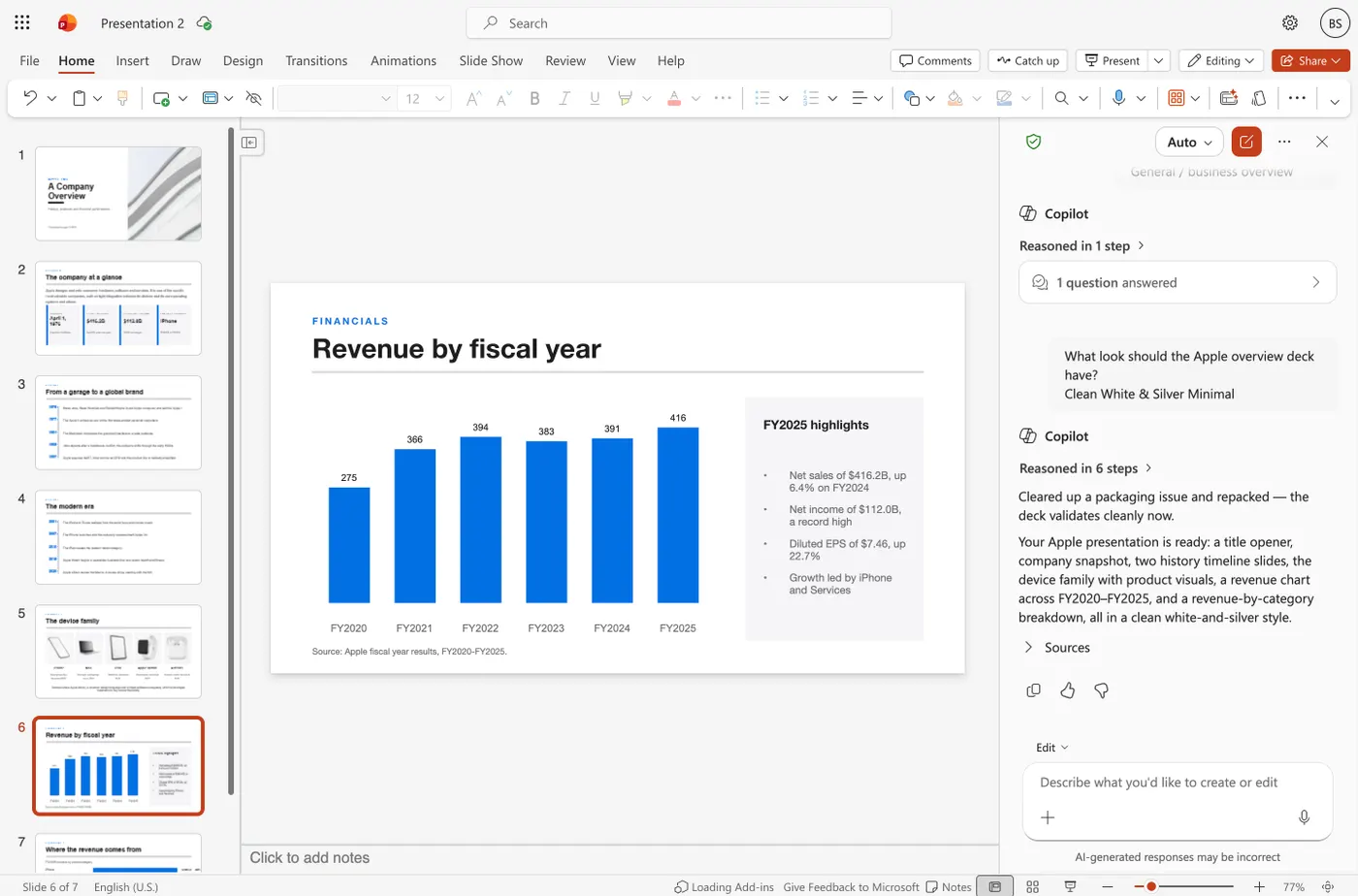
Seven slides came back, and the one the brief asked for by name is the strongest we have seen. A bar chart runs FY2020 to FY2025 at 275, 366, 394, 383, 391 and 416 billion dollars, with a highlights panel giving net sales of $416.2B up 6.4 percent, net income of $112.0B, and diluted earnings per share of $7.46. The figures are right. It is also the only deck in this series that includes the most recent fiscal year, and the only one that prints its source on the slide: "Source: Apple fiscal year results, FY2020–FY2025." Set that against Canva, which told us on the same slide that Apple reported $450 billion for fiscal 2025 when the real figure is $416.16 billion, and against SlidesAI, whose revenue slide contains no figure at all.
And the chart is a real chart
We downloaded the file and opened it up. Slide six holds a genuine PowerPoint chart object, a bar chart with an embedded Excel workbook wired to it, labelled "Net sales (USD billions)" and holding the six values as data rather than as painted pixels. Double-click it in PowerPoint and the spreadsheet opens; change a number and the bar moves. That makes Copilot the only tool of the nine whose chart survives export as a chart. Beautiful.ai, Canva and SlidesAI all deliver theirs as flat images. Plus AI delivers entire slides as images. Decktopus states in its own dialog that its PowerPoint files are not editable. The rest of the Copilot deck is built properly too: seventy-eight separate runs of editable text across seven slides, product photographs as real image objects, and not one flattened slide.
What that means in practice
On output, Copilot beat everything else we tested, and a comparison page that pretended otherwise would be caught within minutes by anyone holding a seat. The honest argument for SlidesGPT here is not quality, it is cost and access. Copilot's slide generation is unavailable without a qualifying Microsoft 365 subscription plus a per-seat Copilot licence, so the cheapest realistic path is a bundled business plan rather than a standalone purchase. SlidesGPT needs no tenant, no licence, no install and no administrator, and you can generate and preview a full deck for free before paying anything. If your organization already pays for Copilot, use Copilot for this. If it does not, the question is whether one deck is worth a per-seat licence.
What Copilot does well
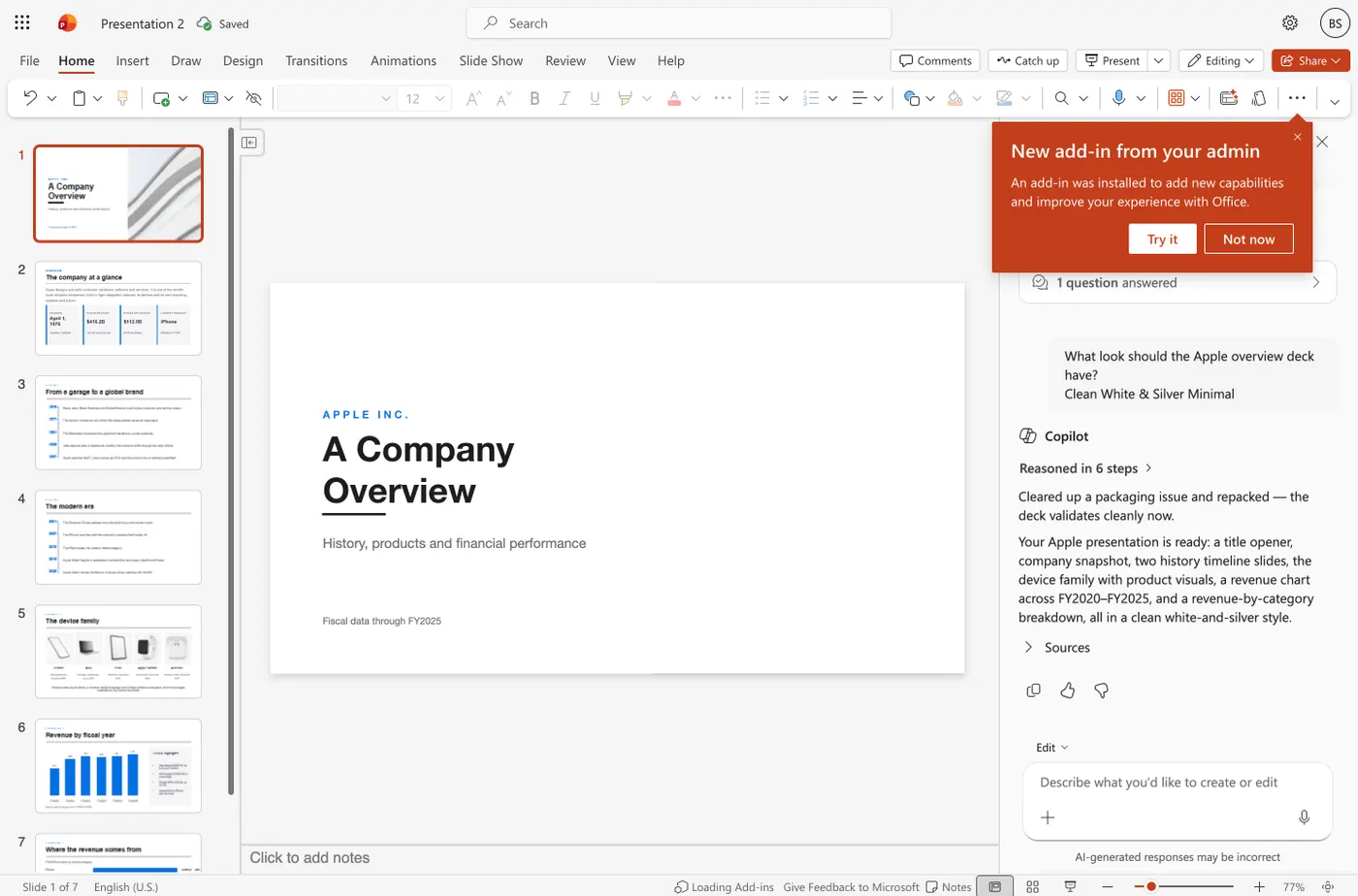
Copilot's in-app model is its real advantage. Because it runs inside PowerPoint, the result is a native file with nothing lost to conversion. It draws on content already in your Microsoft 365 tenant, so it can draft a deck from an existing document, and it inherits Microsoft's enterprise security and compliance. For an organization already standardized on Microsoft 365, that integration is hard to match.
- The only tool we tested whose chart survives as a real, editable chart
- The most accurate figures of the nine, with its source printed on the slide
- Enterprise security and compliance inherited from Microsoft
Where SlidesGPT is different
The difference is the barrier to begin. Copilot's slide generation is unavailable without a paid Microsoft 365 plan and a separate per-seat Copilot license reported around thirty dollars per user each month. SlidesGPT lets anyone generate and preview a full deck for free in a browser, with no subscription and no license, and it works outside the Microsoft ecosystem by also producing Google Slides and Keynote. SlidesGPT also builds from a PDF or a YouTube link, not only tenant documents.
Which should you choose?
Choose Copilot if your organization already pays for Microsoft 365 and Copilot and you want AI drafting inside your own tenant. Choose SlidesGPT if you want to start for free, avoid a per-seat license, or work outside the Microsoft ecosystem.
FAQ

Generate your first deck
Turn a topic, a document, or a YouTube link into a structured presentation, then preview the full deck before you decide. Free to start.
Create a presentation