
 Decktopus
SlidesGPT vs Decktopus
An interactive online deck builder versus a tool focused on a faithful, editable PowerPoint file.

Benjamin Spinola, Co-Founder · SlidesGPT
Published July 3, 2026 · Updated August 13, 2026 · 7 min read
A hands-on comparison of SlidesGPT and Decktopus, based on our own test deck run through both tools in August 2026 alongside each tool's public documentation.
Decktopus and SlidesGPT are both standalone web generators that are free to start, so the fair comparison is about your final deliverable. Decktopus is built for decks that live online: it adds an AI voice and question-and-answer assistant, forms, and hosted share links.
SlidesGPT is built for an editable file that opens cleanly in PowerPoint, Google Slides, or Keynote. Decktopus does offer a .pptx export, but its own download dialog states that exported PPT files are not editable, and on the free plan the download is blocked entirely. If your deck stays online, Decktopus offers useful extras; if it needs to become a clean editable file, that is SlidesGPT's focus.
SlidesGPT vs Decktopus at a glance
| Feature | SlidesGPT | Decktopus |
|---|---|---|
| Editable PowerPoint export | Native, editable .pptx built as the core output (also Google Slides and Keynote) | Its own export dialog states that exported PPT files are not editable, and the free plan blocks the download entirely |
| Free to start | Yes. Generate and preview a full deck for free | Yes, but we could view only 3 of the 16 slides it generated; the rest were blurred, and credits hit zero after one deck |
| Input sources | Text prompt, PDF, and YouTube | Text prompt and documents |
| Distinctive extras | Focused on the editable output file | AI voice and question-and-answer assistant, forms, hosted sharing |
| Best for | People who need a faithful, editable slide file | People who present inside Decktopus and never need the file |
What SlidesGPT and Decktopus cost
Prices as we saw them in August 2026. The row that matters is the last one: the cheapest plan that hands you a PowerPoint whose text you can actually edit.
What the free tier gives you
- SlidesGPT
- Generate and preview full decks, no export
- Decktopus
- Generates 16 slides but shows 3; download is blocked
Cheapest plan with an editable PowerPoint
- SlidesGPT
- Pro at $7.49 a month billed annually ($89.99 a year)
- Decktopus
- From $9.99 a month billed annually ($119.88 a year)
What you actually get in that file
- SlidesGPT
- Editable PowerPoint, Google Slides and Keynote, 10 downloads a month
- Decktopus
- Its own export dialog states that exported PPT files are not editable
Metered by credits?
- SlidesGPT
- No credits. Pro is capped in decks, not tokens: 10 downloads a month
- Decktopus
- Yes. 750 credits a month on Pro, which Decktopus itself equates to about 150 slides
What one deck actually costs
- SlidesGPT
- $0.75 a deck, if you use all ten ($7.49 ÷ 10)
- Decktopus
- About $1.07 a deck: at that rate our sixteen-slide deck is roughly 80 credits, so about nine decks a month
Currency we were shown
- SlidesGPT
- USD
- Decktopus
- USD published, EUR in the product
Checked August 2026 from each vendor's own pages and, where we had an account, from inside the product. Credit allowances come from each vendor's published pricing; where we could measure consumption ourselves we say so. Several vendors set prices by region, so what you see may differ from what we saw.
Compare all nine on priceWe built the same deck in Decktopus
We ran the same brief through Decktopus on a free account in August 2026, one of nine AI presentation tools we put through the same one-sentence brief. The writing is good. Then three walls arrive in quick succession, and the middle one is the striking part: Decktopus telling you, in its own words, that its PowerPoint export is not editable.
Create a PowerPoint presentation about the company 'Apple'. The presentation should include the history of the company, a list of apple devices with images and a slide about the revenue of the company.
One sentence, with no audience or tone specified. It is not the way to get the best out of any of these tools; it is what a first-time user typing a single line actually gets. Decktopus opened in German for us, because it stores the interface language from the browser you signed up in and offers no setting to change it. The deck itself is in English, and the German buttons are translated below.
The first three slides are genuinely good
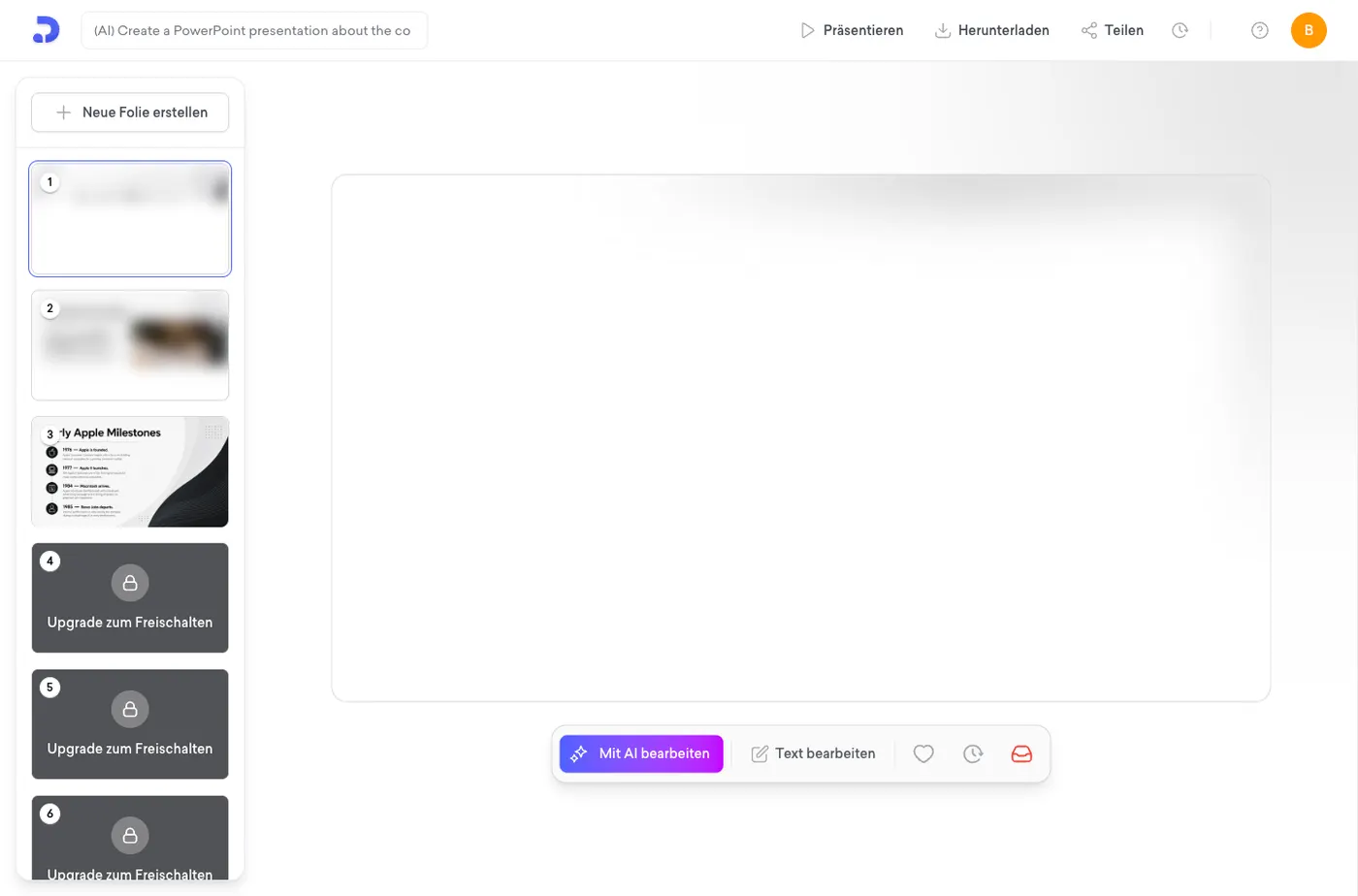
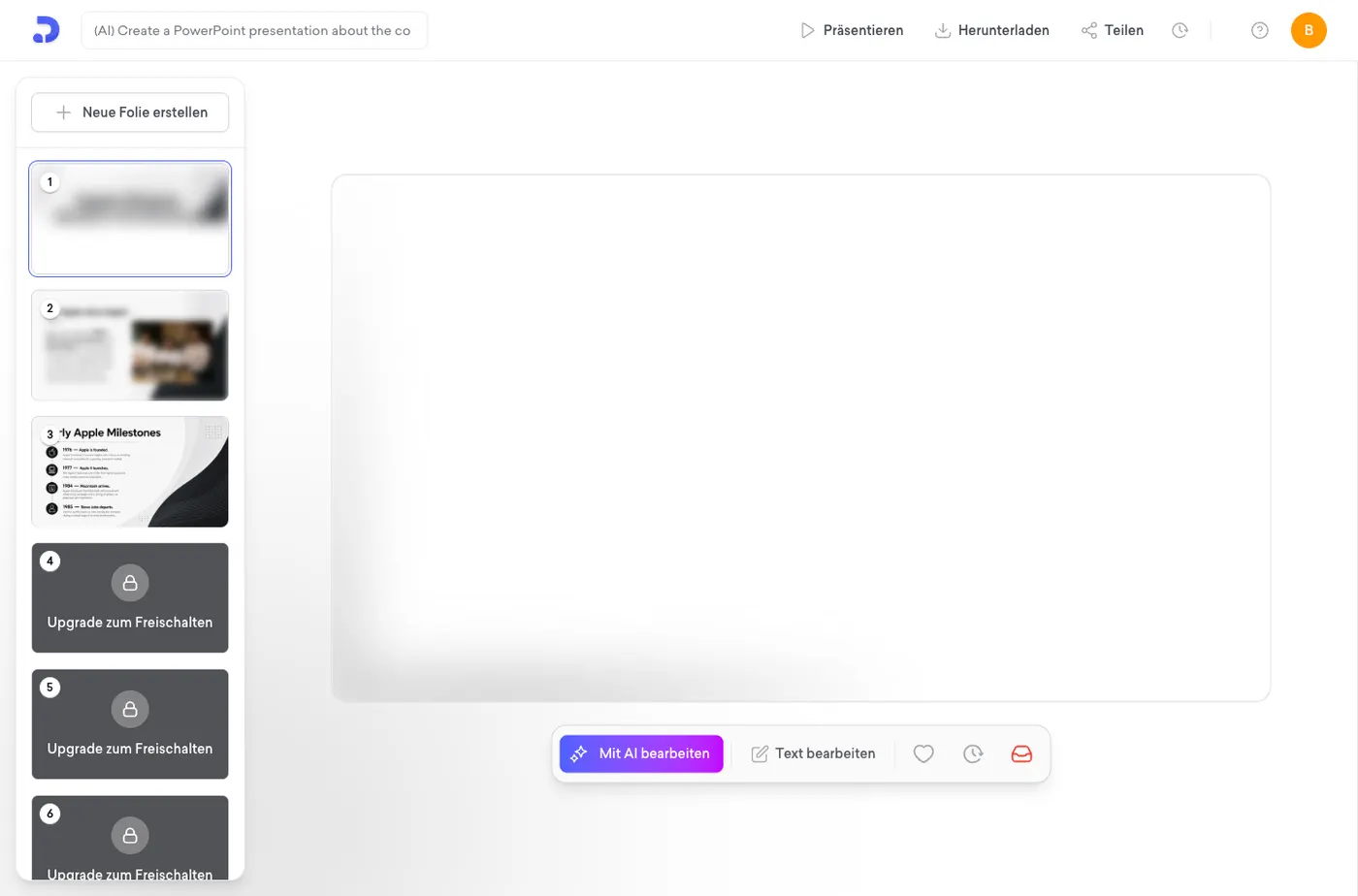
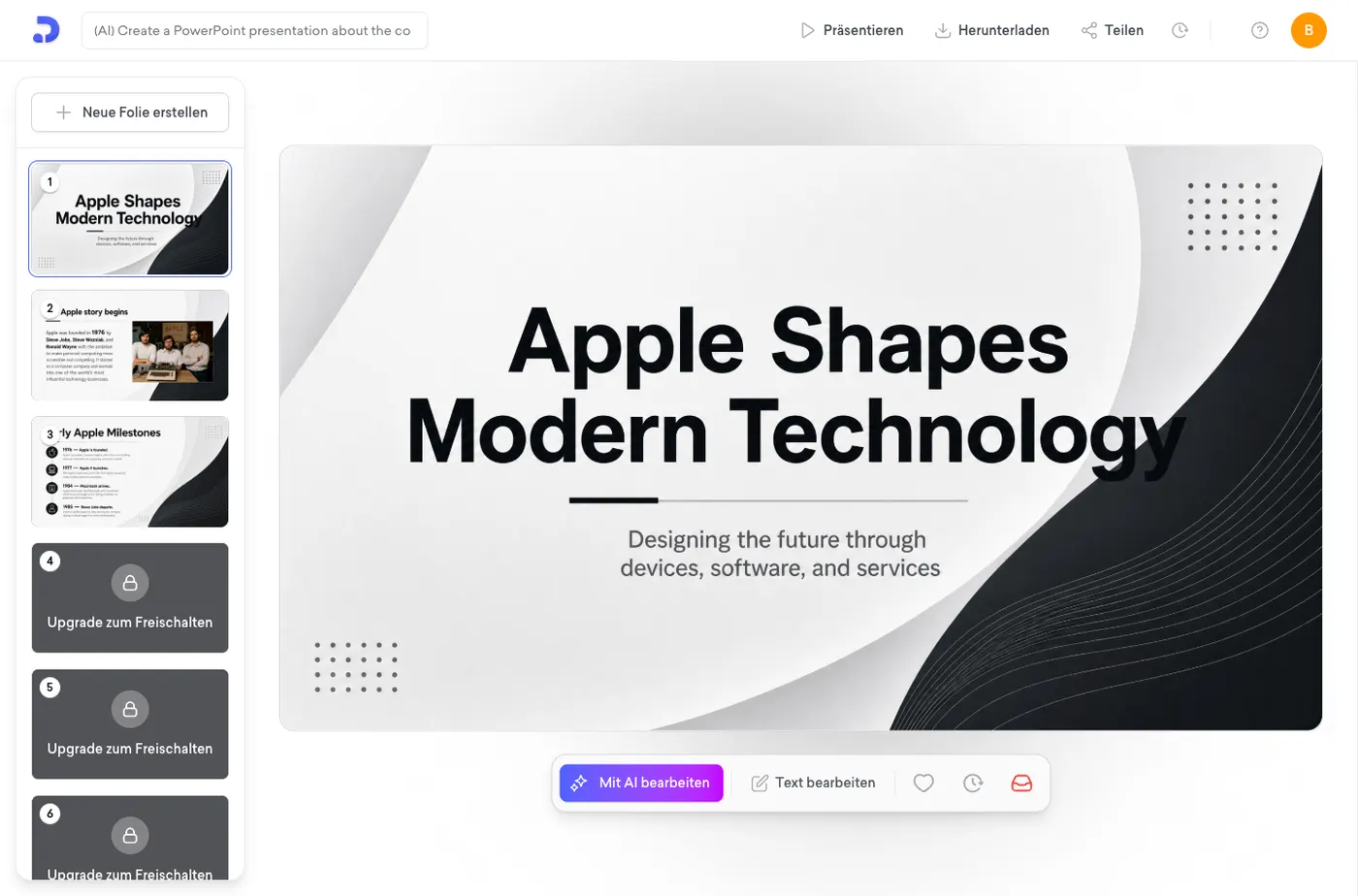
Decktopus produced a sixteen-slide outline you can edit before it builds anything, then generated the deck. The cover reads "Apple Shapes Modern Technology". Slide two gets the history right, naming 1976 and all three founders including Ronald Wayne, whom several other tools dropped, and it found a real archive photograph of the three of them beside an Apple I rather than generic stock.
Then thirteen of the sixteen slides go behind a wall
Slides four to sixteen are blurred, each stamped "Upgrade zum Freischalten", meaning upgrade to unlock. A banner across the bottom reads "Dein Deck ist fertig. 13 Folien warten", your deck is ready, thirteen slides are waiting, and the panel it opens says to upgrade in order to view and edit them all. This is not export being withheld. It is the deck itself. You can read three slides of the sixteen you generated.
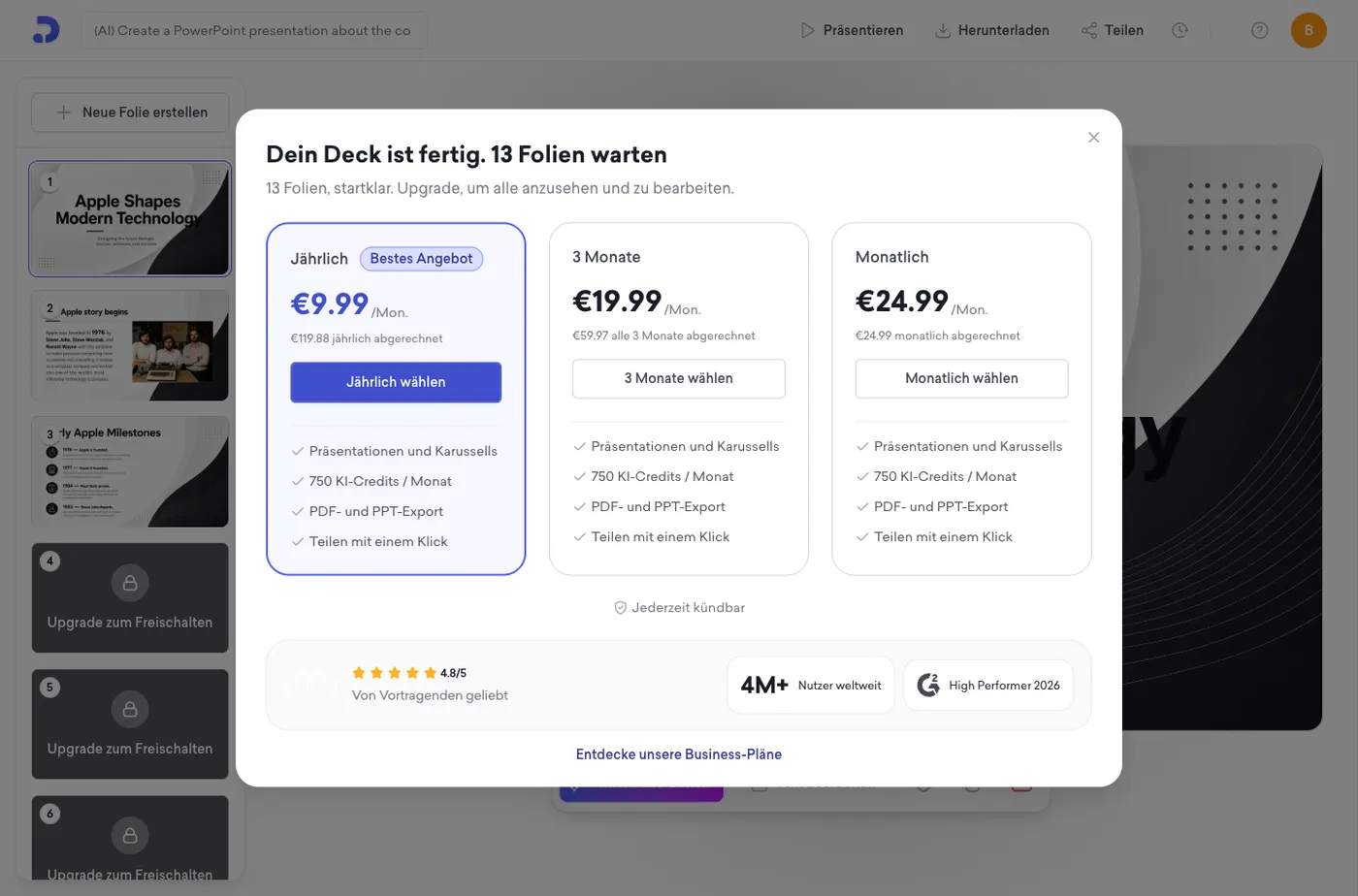
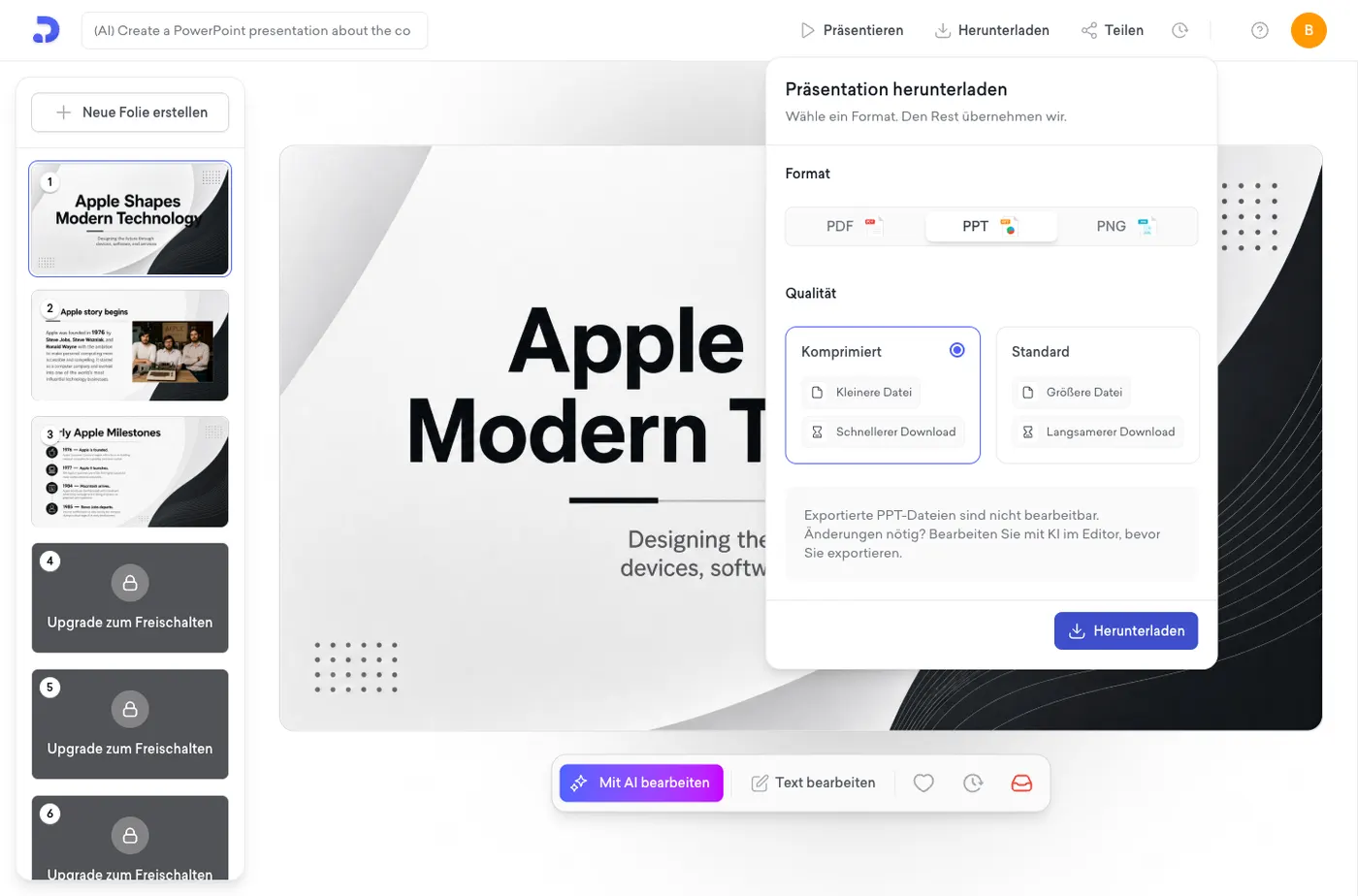
Decktopus says its own PowerPoint export is not editable
Open the download dialog, choose PPT, and a notice appears: "Exportierte PPT-Dateien sind nicht bearbeitbar. Änderungen nötig? Bearbeiten Sie mit KI im Editor, bevor Sie exportieren." Exported PPT files are not editable. Need changes? Edit with AI in the editor before you export. We have inferred this about other tools by taking their files apart. Here the vendor states it plainly, at the moment you ask for the file. Clicking download anyway returns an upgrade wall rather than a file, so on the free plan the question is academic.
And the third wall: one deck, then nothing
Clicking download anyway does not produce a file either. It produces an upgrade panel headed "Upgraden, um weiter zu erstellen", upgrade to keep creating, listing PDF and PPT export among the things you would be buying at 9.99 euros a month billed annually, 19.99 quarterly or 24.99 monthly. By that point the credit counter in the corner had also reached zero. One deck, three slides visible, no file, no credits left.
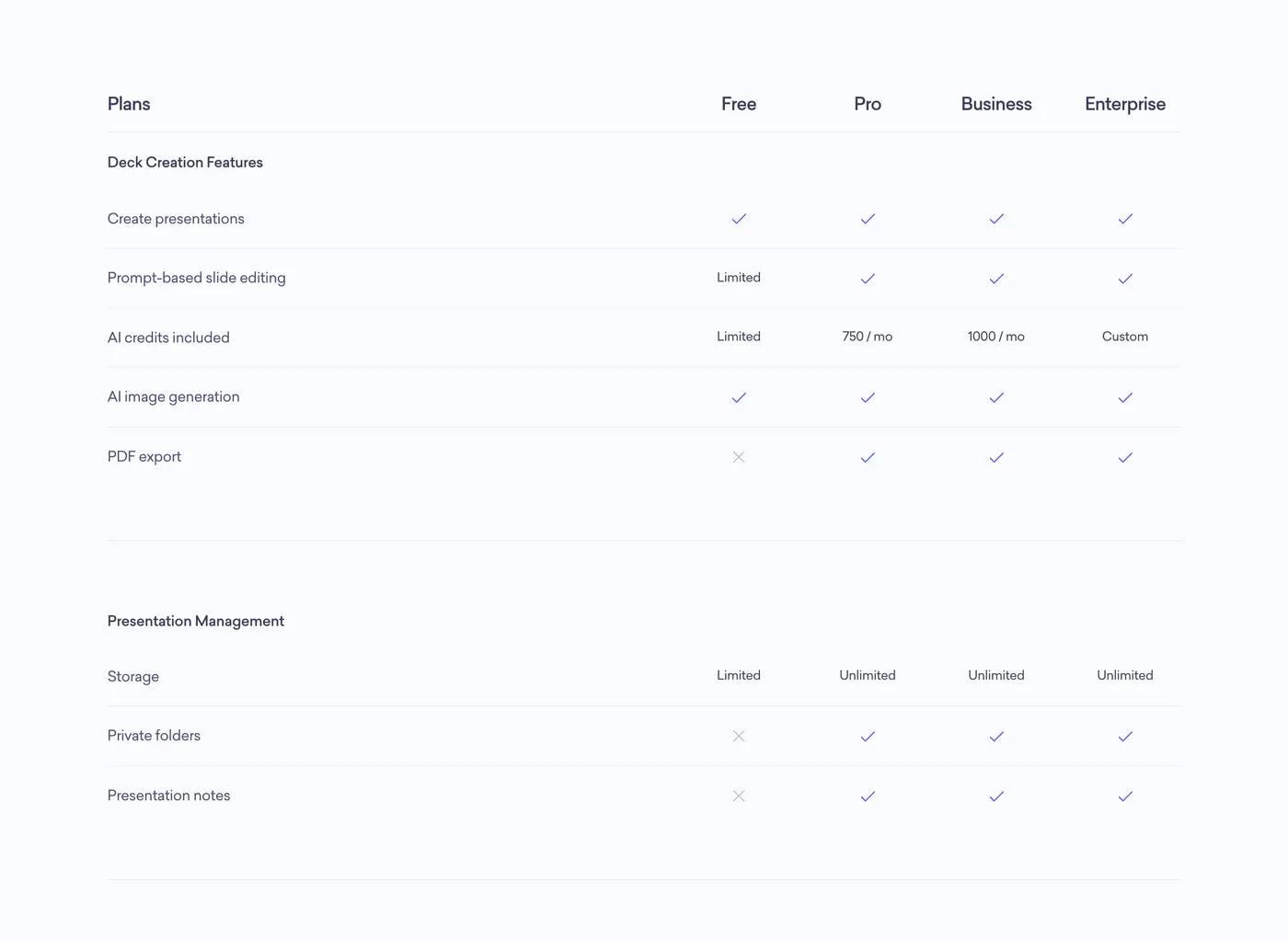
What that means in practice
Decktopus is the hardest free tier we tested. Presentations.ai at least lets you see the whole deck before it blocks the file; Decktopus blurs most of the deck. But the more important line is the one in the export dialog, because it applies after you have paid: what you get for your money is a PowerPoint file you cannot edit in PowerPoint. SlidesGPT also charges for export, and its output is a genuinely editable PowerPoint, Google Slides or Keynote file, which is the whole point of the product.

What Decktopus does well
Decktopus is built for decks that live on the web, and its extras reflect that. It generates quickly, applies consistent branding automatically, and adds interactive features that most slide tools do not, including an AI question-and-answer assistant, embedded forms, and hosted share links. For an online, interactive deck at a low entry price, it offers something different.
- Fast generation with automatic branding
- Interactive extras like an AI question-and-answer assistant and forms
- Hosted sharing links for online decks
Where SlidesGPT is different
SlidesGPT is built around the editable file. We do not have to rely on reviews for Decktopus: choose PPT in its own download dialog and it tells you that exported PPT files are not editable and to make changes before exporting. SlidesGPT generates native slide objects so the PowerPoint, Google Slides, or Keynote file stays faithful and editable. SlidesGPT also builds from a PDF or a YouTube link.
Which should you choose?
Choose Decktopus if your deck will live online and you want its interactive extras. Choose SlidesGPT if you need a clean, editable PowerPoint or Google Slides file, or if you want to generate from a document or a video.
FAQ
Generate your first deck
Turn a topic, a document, or a YouTube link into a structured presentation, then preview the full deck before you decide. Free to start.
Create a presentation